
Virtual Geoboard: Triangles
Loading the math board and drawing, please wait…
In collections
Geometric Figures on the Virtual Geoboard
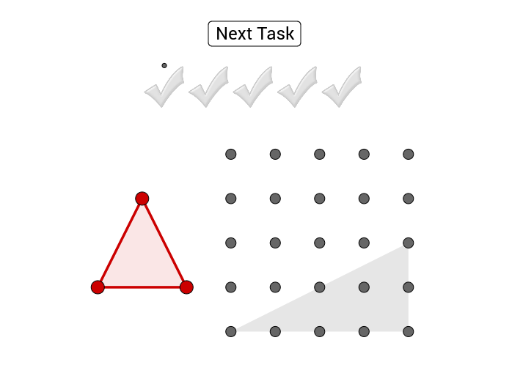
This example helps students practice drawing triangles by dragging red points onto the grid points of the virtual geoboard. Key mathematical concepts include properties of triangles and geometric construction. Commands used include Polygon, Random, and Vector. Suitable for middle school and above students for geometry construction practice.
GeoGebra Commands & Parameters
Polygon(B_1, C_1, D_1) → Vieleck1, d_1, b_1, c_1Polygon(I, G, R) → Vieleck2, r, i, gPolygon(A, E, O) → Vieleck3, o, a, ePolygon(T, Q, J) → Vieleck4, j, t, qPolygon(V, M, Z) → Vieleck5, z_1, v, mPolygon(P, L, F) → Vieleck6, f, p, lRandom(1, 7) → zufPolygon(A, E, W) → Vieleck7, w, a_1, e_1Polygon(Q_1, R_1, S_1) → Vieleck8, s_1, q_1, r_1Polygon(T_1, U_1, V_1) → Vieleck9, v_1, t_1, u_1Polygon(W_1, Z_1, A_2) → Vieleck10, a_2, w_1, z_2Polygon(B_2, C_2, D_2) → Vieleck11, d_2, b_2, c_2Vector(P_2, Q_2) → u
AI Drawing Prompt Reference
Draw multiple triangles on a grid, each defined by three red points at grid intersections. Generate vectors from some randomly selected point pairs to illustrate the relationships between triangle sides and vectors, showcasing geometric construction and properties of triangles.
The prompt above was compiled from the original drawing commands and is for reference only.