
Virtual Geoboard: Geometric Figures
Loading the math board and drawing, please wait…
In collections
Geometric Figures on the Virtual Geoboard
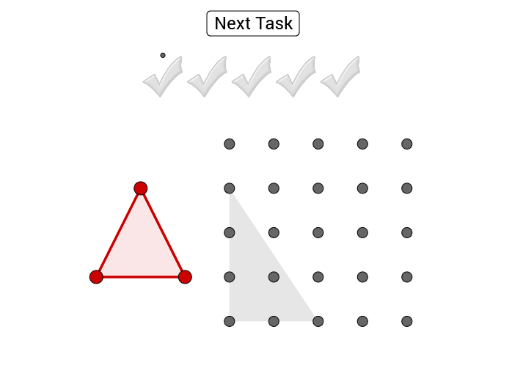
This example demonstrates creating specified geometric figures on a virtual geoboard by dragging colored points to corresponding grid points. Core math concepts include polygon construction, vector application, and coordinate geometry. Key GeoGebra commands used are Polygon, Random, and Vector, with objects like I_2, A_2, Z_1. Suitable for middle school and above students for practicing geometric constructions and spatial reasoning.
GeoGebra Commands & Parameters
Polygon(B_1, C_1, D_1) → Vieleck1, h, k, nPolygon(I, G, R) → Vieleck2, r, i, gPolygon(T, A, C) → Vieleck3, s, a, bPolygon(U, T, P, A_1) → Vieleck4, j, q, t, cPolygon(C, D, G, H) → Vieleck5, m, d, e, j_1Polygon(R, D, P) → Vieleck6, f, l, pRandom(1, 7) → zufPolygon(A, C, R, T) → Vieleck7, s_1, t_1, a_1, b_1Polygon(R_1, Q_1, F_2, S_1) → Vieleck8, f_1, g_1, h_1, i_1Polygon(T_1, U_1, V_1) → Vieleck9, k_1, l_1, r_1Polygon(I_2, W_1, Z_1, A_2) → Vieleck10, d_1, f_2, g_2, h_2Polygon(B_2, C_2, G_2, D_2) → Vieleck11, m_1, n_1, p_1, q_1Vector(S_2, T_2) → u
AI Drawing Prompt Reference
Create multiple polygons on a grid by dragging colored points to corresponding grid locations. Include quadrilaterals, pentagons, and hexagons, some sharing vertices. Also draw a vector with its start and end points on the grid. Use distinct colors for polygons and arrows for the vector to showcase geometric construction and vector application.
The prompt above was compiled from the original drawing commands and is for reference only.