
Vectors & Quadrilaterals Assessment (16:9)
Loading the math board and drawing, please wait…
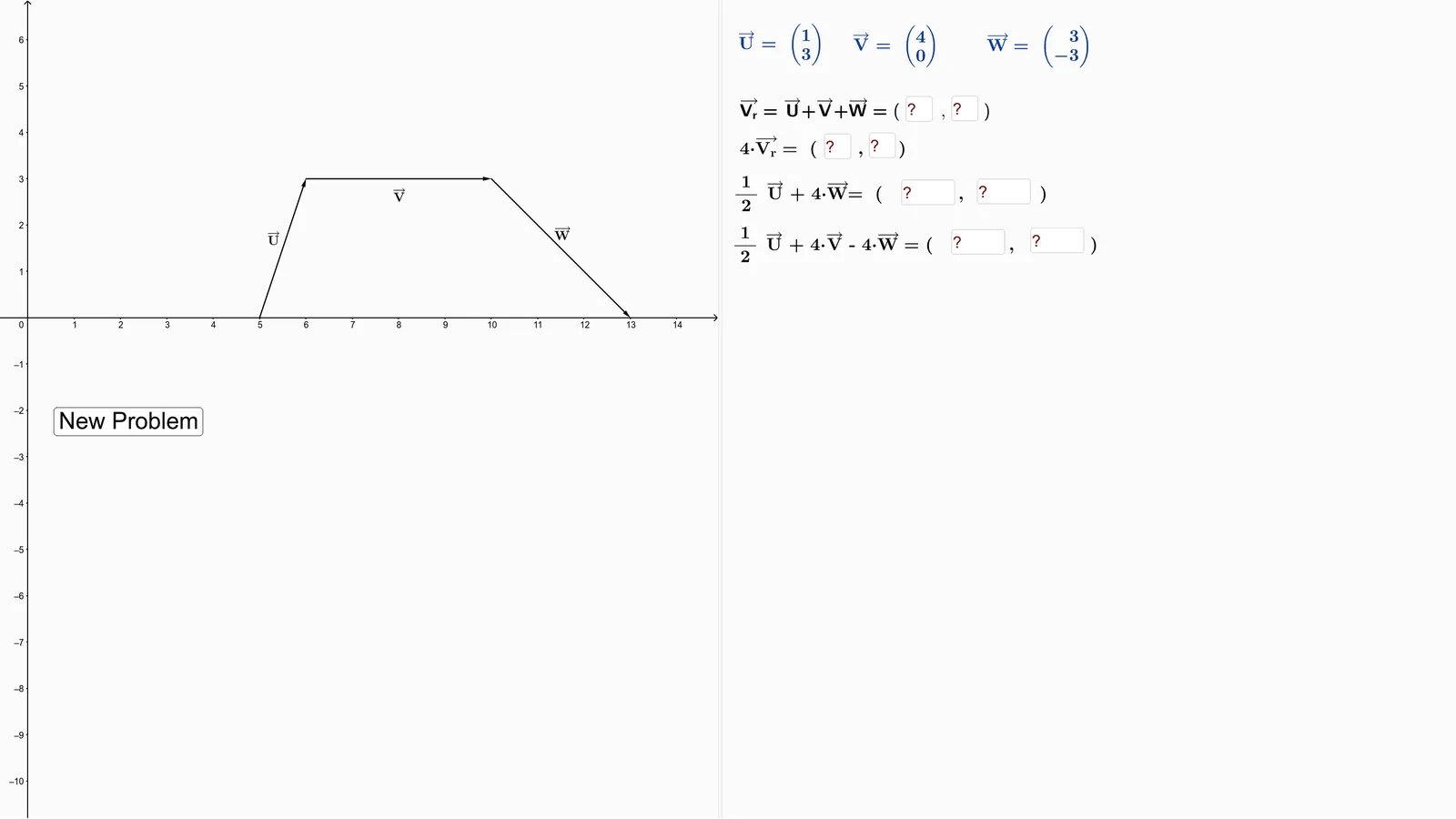
This is an interactive GeoGebra assessment worksheet for Chapter 1 on vectors, presented in a 16:9 widescreen format. It demonstrates combined applications of vectors, quadrilaterals, median lines, linear equations, difference and slope, and basic curve sketching. Core mathematical concepts include vector addition, subtraction, scalar multiplication, coordinates of quadrilateral vertices, equations of median lines, slope from differences, and introductory curve sketching. The construction uses commands such as Random, Element, Vector, Textfield, and If, along with multiple input boxes (InputBox1 to InputBox6) for student responses. Objects include points (A, B, E, F), vectors (u, v, w), lines (g, f, s, h), and variables (a, b, c, d, r). This resource is suitable for high school or early college students learning vectors and coordinate geometry, and can serve as a template for teachers to generate randomized practice problems or assessments.
GeoGebra Commands & Parameters
Random(0, 1) → fRandom(2, 4) → iRandom(1, 4) → pickElement(s, pick) → hElement(t_1, pick) → a_1Random(2, 4) → rRandom(6, 7) → bRandom(4, 5) → aRandom(8, 15) → dRandom(2, 5) → cVector(A, B) → uVector(F, E) → wVector(B, F) → vVector(A, E) → V_rTextfield(ac) → InputBox3Textfield(ad) → InputBox4Textfield(ae) → InputBox5Textfield(af) → InputBox6Textfield(aa) → InputBox1Textfield(ab) → InputBox2Element(t, pick) → text3Textfield(ag) → InputBox7Textfield(ah) → InputBox8Random(0, 1) → f_2Random(1, 4) → pick_1Element(s_1, pick_1) → h_2Random(4, 5) → a_2Random(8, 15) → d_2Textfield(ae) → InputBox5_1Textfield(af) → InputBox6_1Random(0, 1) → f_3Random(1, 4) → pick_2Element(s_2, pick_2) → h_3Random(4, 5) → a_3Random(8, 15) → d_3Textfield(ae) → InputBox5_2Textfield(af) → InputBox6_2Random(0, 1) → f_4Random(1, 4) → pick_3Element(s_3, pick_3) → h_4Random(4, 5) → a_4Random(8, 15) → d_4Textfield(ae_1) → InputBox5_3Textfield(af_1) → InputBox6_3Random(0, 1) → f_5Random(1, 4) → pick_4Element(s_4, pick_4) → h_5Random(4, 5) → a_5Random(8, 15) → d_5Textfield(ae_2) → InputBox5_4Textfield(af_2) → InputBox6_4If(ae ≟ n ∧ af ≟ o, "Good Job!", "Try Again") → text2If(ab ≟ k ∧ aa ≟ j, "Good Job!", "Try Again") → text2_4If(ac ≟ l ∧ ad ≟ m, "Good Job!", "Try Again") → text2_1If(ag ≟ h_1 ∧ ah ≟ i_1, "Good Job!", "Try Again") → text2_3