
Rectangle Area Exploration
Loading the math board and drawing, please wait…
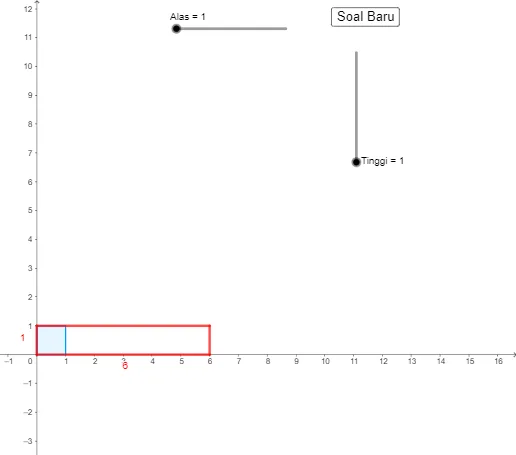
This example demonstrates the calculation method and properties of rectangle area. It involves core math concepts like rectangle area formula, vectors, points, and polygon construction. Constructed using GeoGebra commands such as Intersect, Polygon, Vector, Point, Sequence, Random, and Segment. Suitable for middle school and above mathematics education, helping students visually understand area calculation and geometric construction.
GeoGebra Commands & Parameters
Intersect(xAxis, yAxis) → APolygon(A, B, 4) → poly1, f, g, h, j, C, DVector(A, B) → uPoint(yAxis) → EVector(A, E) → vSequence(Translate[poly1, Vector[(i * u)]], i, 0, n - 1) → l1Sequence(Translate[l1, Vector[(j * v)]], j, 0, i - 1) → l2Random(1, 10) → bRandom(1, 10) → cSegment(A, F) → kSegment(F, H) → lSegment(H, G) → mSegment(G, A) → p
AI Drawing Prompt Reference
Draw a rectangle and calculate its area. Start by drawing the intersection point A of the x-axis and y-axis, then draw vector u from A to B. Next, pick a point E on the y-axis and draw vector v from A to E. Use vectors u and v to translate the rectangle and create a series of rectangles. Finally, randomly select two numbers b and c, and draw line segments from A to the right and up to form an irregular quadrilateral.
The prompt above was compiled from the original drawing commands and is for reference only.