
Vectors for Free Body Diagrams
Loading the math board and drawing, please wait…
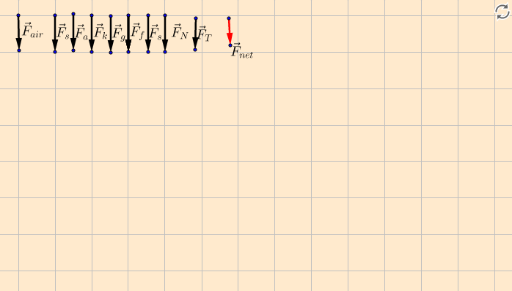
This example demonstrates how to create free body diagrams using vectors, clearly showing the forces acting on an object. Key math concepts include vectors, isosceles triangles, set theory, equilateral triangles, exponents, and line segments. Construction highlights involve using GeoGebra commands like Vector, Midpoint, and vector_tool to create vectors, find midpoints, and draw line segments. Suitable for high school physics students or math enthusiasts learning vector applications and geometric constructions.
GeoGebra Commands & Parameters
Vector(A, B) → uMidpoint(A, B) → Cvector_tool(D, E) → v, Fvector_tool(G, H) → w, Ivector_tool(J, K) → a, Lvector_tool(M, N) → b, Ovector_tool(P, Q) → c, Rvector_tool(P, Q) → d, Svector_tool(P, Q) → e, Tvector_tool(P, Q) → f, Uvector_tool(V, W) → g, Zvector_tool(P_1, Q_1) → c_1, R_1vector_tool(P_1, Q_1) → d_1, S_1vector_tool(P_1, Q_1) → e_1, T_1vector_tool(P_1, Q_1) → f_1, U_1vector_tool(P_2, Q_2) → c_2, R_2vector_tool(P_2, Q_2) → d_2, S_2vector_tool(P_2, Q_2) → e_2, T_2vector_tool(P_2, Q_2) → f_2, U_2vector_tool(P_3, Q_3) → c_3, R_3vector_tool(P_3, Q_3) → d_3, S_3vector_tool(P_3, Q_3) → e_3, T_3vector_tool(P_3, Q_3) → f_3, U_3