
Vectors: Distance from a Point to a Plane (Assessment)
Loading the math board and drawing, please wait…
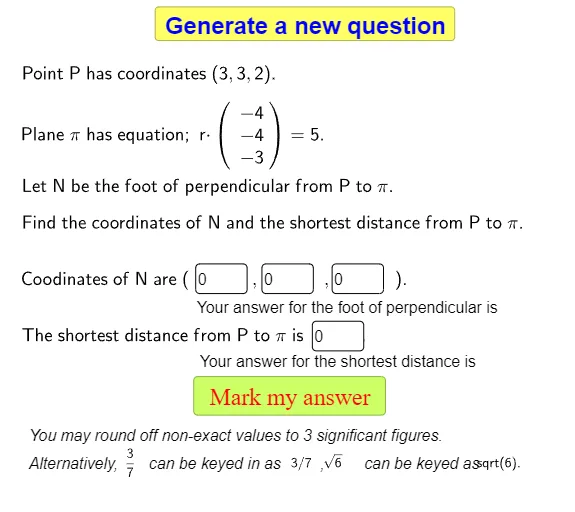
This interactive GeoGebra example demonstrates how to compute the distance from a given point to a plane in 3D space using vector operations, presented as an assessment activity. The core mathematical concepts involve the dot product, normal vectors, plane equations, and the point-to-plane distance formula. Construction details: the Random command generates three points (p1, p2, p3) on the plane, from which the normal vector components (n1, n2, n3) are derived via cross product; Textfield and InputBox objects allow users to enter the point coordinates (x1, y1, z1) and their answer, with buttons triggering calculations; multiple text objects (text1, text3, etc.) display prompts and results, while temporary variables (temp, d1, d2) store intermediate values. Suitable for high school or early college students learning solid geometry and vectors, this tool serves as a formative assessment or self-practice exercise to reinforce the geometric interpretation of vector projection and distance formulas.
GeoGebra Commands & Parameters
Random(-5, 5) → p1Random(-5, 5) → p2Random(-5, 5) → p3Random(-5, 5) → n1Random(-5, 5) → n2Random(-5, 5) → n3Textfield(x1) → InputBox1Textfield(y1) → InputBox2Textfield(z1) → InputBox3Textfield(d1) → InputBox4Random(-10, 10) → D