
2018 H2 Math Vectors II PQ7(i) Visualization
Loading the math board and drawing, please wait…
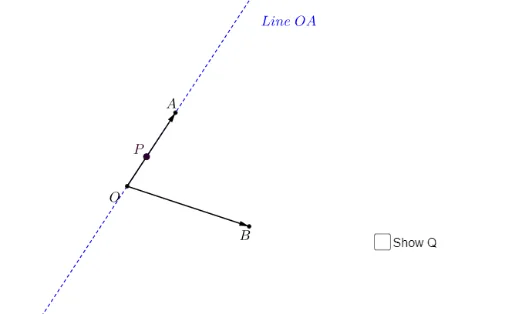
This example visualizes the 2018 H2 Math Vectors II PQ7(i) problem. Key mathematical concepts include vector multiplication and dot product. Using GeoGebra commands such as Intersect, Vector, Line, and Point, the example constructs vectors, points, line segments, and loci. Suitable for high school math education and learning.
GeoGebra Commands & Parameters
Intersect(xAxis, yAxis) → OVector(O, A) → uVector(O, B) → vLine(O, A) → aPoint(a) → PSegment(P, B) → bMidpoint(P, B) → CMidpoint(P, C) → QVector(P, Q) → wVector(Q, B) → cVector(O, Q) → dDistance(O, Q) → OQPoint(e) → R
AI Drawing Prompt Reference
Draw a Cartesian coordinate system with x and y axes, marking their intersection as the origin. Create two vectors starting from the origin pointing to points A and B. Draw a line through the origin and point A, and find the intersection point P with the extension of vector AB. Connect point P to point B, find the midpoint C of segment PB, and then the midpoint Q of segment PC. Draw vectors PQ and QB, and vector OQ from the origin. Label the length of segment OQ and place a point R in an appropriate position in the coordinate system.
The prompt above was compiled from the original drawing commands and is for reference only.