
Vector Subtraction (Tail-to-Tail Method) Interactive Demo
Loading the math board and drawing, please wait…
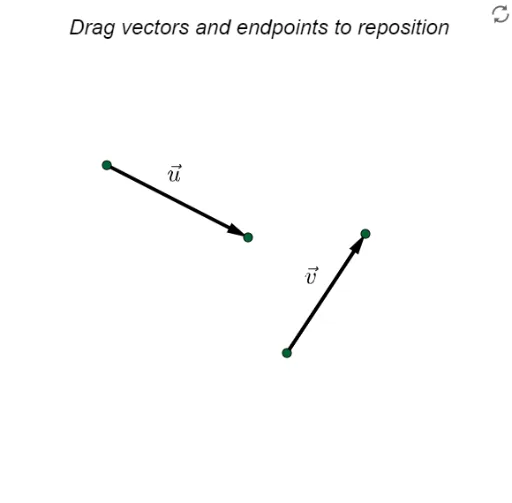
This GeoGebra example demonstrates the tail-to-tail method for vector subtraction, showing how to subtract vector v from vector u by translating v so that its tail coincides with the tail of u, then drawing the vector from the head of v to the head of u as the difference. The core mathematical concept is the geometric interpretation of vector subtraction in the plane, emphasizing the importance of aligning starting points and connecting endpoints. The construction uses GeoGebra commands such as Vector to define vectors u and v, Translate to reposition v for tail-to-tail alignment, and Midpoint to create auxiliary reference points. Interactive elements include a button (button1) and boolean variables (bool, bool2) to toggle visibility of steps, along with multiple text objects (text1-text8) labeling vectors and results. This resource is suitable for high school or early college students learning vector operations, and serves as an effective classroom demonstration tool for teachers to visually explain the tail-to-tail method and reinforce conceptual understanding of vector subtraction.
GeoGebra Commands & Parameters
Vector(A, B) → uVector(C, D) → vTranslate(u, (0, 0)) → wTranslate(v, (0, 0)) → rMidpoint(A, B) → EMidpoint(C, D) → FMidpoint(G, J) → KMidpoint(G, I) → LTranslate(b, (x(v), y(v))) → cMidpoint(I, J) → H
AI Drawing Prompt Reference
Draw vectors u and v, then translate v so that its tail coincides with the tail of u, and draw the difference vector from the head of v to the head of u. Construct auxiliary points E, F, K, L, and H using midpoints: E and F are midpoints of u and v, K and L are midpoints of G and I, G and J, and H is the midpoint of I and J.
The prompt above was compiled from the original drawing commands and is for reference only.