
Cone-Cutting Demo of Conic Sections: Circle, Parabola and Hyperbola
Loading the math board and drawing, please wait…
In collections
intersection: surface-surface, curve-curve
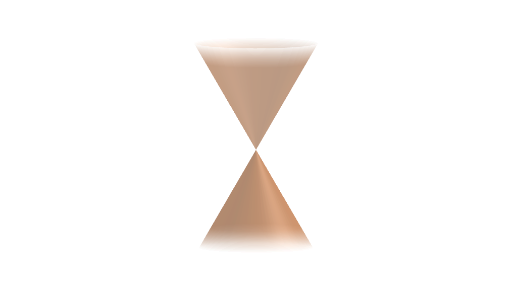
This example demonstrates how conic sections are generated by slicing an infinite cone with planes of different orientations. It visually captures the geometric rules that lead to different curve types (e.g., circle, parabola, and hyperbola) depending on the plane’s position and tilt. The key math concepts include conic sections, intersection geometry between a plane and a cone, rotational control of the cutting angle, and the way changing parameters produces different conic loci. Construction-wise, the GeoGebra setup uses Circle and Line for foundational elements, Rotate to vary the slicing direction, ConeInfinite to build the (infinite) cone surface, and IntersectPath to compute and display the resulting intersection curve in the plane. Objects such as angle, plane, and auxiliary points/parameters (e.g., b, h, c, f, g, f') plus labels (text1) and interactive buttons (button1, button2) support interactive exploration. Suitable for high school to early university audiences studying analytic/solid geometry and for classroom demonstrations or guided inquiry.
GeoGebra Commands & Parameters
Circle((0, 0), 5) → cLine((b, 5, h), (b, -5, h)) → gRotate(f, angle, g) → f'ConeInfinite((0, 0, 0), (0, 0, 8), 30°) → lIntersectPath(f', l) → p
AI Drawing Prompt Reference
Draw an infinite cone with its apex at the origin and its axis extending vertically upward. Place a cutting plane inside the cone, formed by rotating a horizontal line segment about its center axis, with an adjustable tilt angle. The plane intersects the cone's surface, producing a curve. When the plane is horizontal, the curve is a circle; when tilted, it becomes a parabola or hyperbola. Show the cone surface, the cutting plane, the intersection curve, and auxiliary elements for controlling the tilt angle, with labels indicating the angle conditions for each conic type.
The prompt above was compiled from the original drawing commands and is for reference only.