
Vector Projections Exploration
Loading the math board and drawing, please wait…
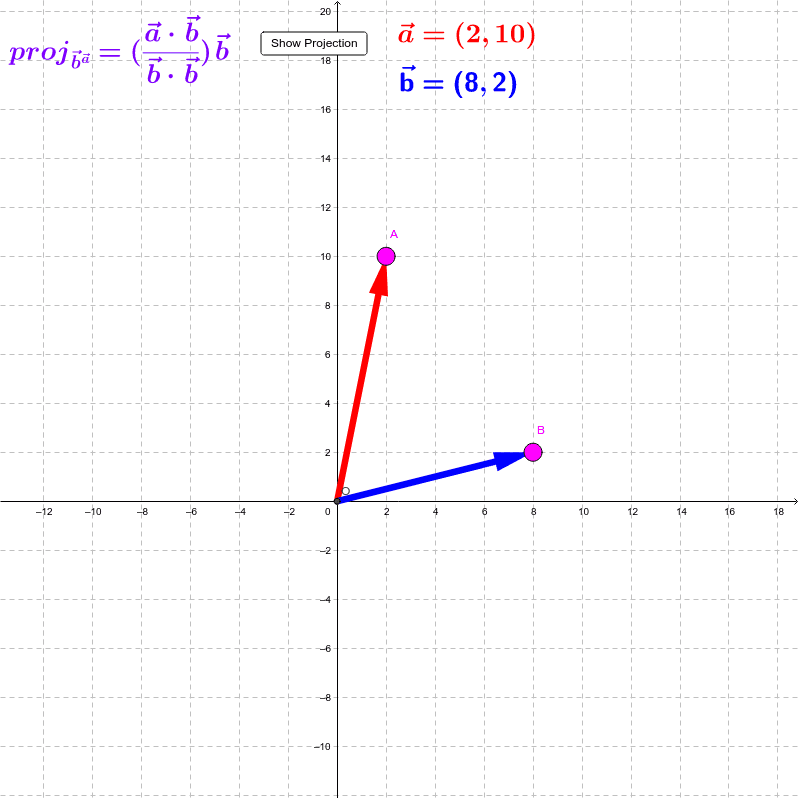
This example demonstrates the calculation and visualization of vector projections onto another vector. Key math concepts include vector projection, dot product, vector magnitude, and orthogonality. It utilizes GeoGebra commands like Intersect, Vector, Line, OrthogonalLine, Angle, Segment, and Length. Suitable for high school and above students studying vector spaces, linear algebra, and geometric applications.
GeoGebra Commands & Parameters
Intersect(xAxis, yAxis) → OVector(O, A) → aVector(O, B) → bLine(O, B) → c_2OrthogonalLine(A, c_2) → a_1Intersect(c_2, a_1) → CVector(O, C) → projaonbAngle(A, C, O) → αSegment(A, C) → cLength(a) → a_{mag}Length(b) → b_{mag}
AI Drawing Prompt Reference
Draw vector A starting from the origin and vector B from the origin. Construct a line through vector B and a perpendicular line to vector A, with their intersection point C. Draw a segment from the origin to C to represent the projection of vector A onto vector B. Measure the lengths of vectors A and B, and the angle between vector A and its projection.
The prompt above was compiled from the original drawing commands and is for reference only.