
Vector Head to Tail
Loading the math board and drawing, please wait…
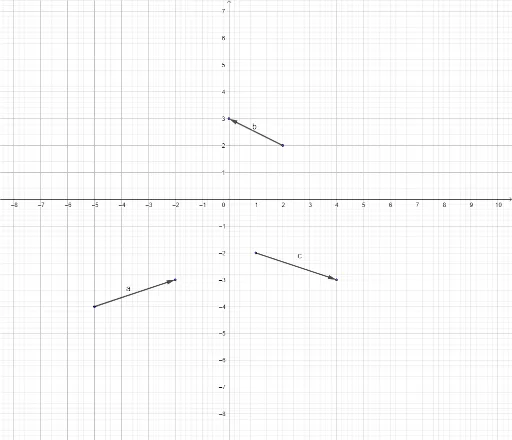
This example demonstrates the representation and calculation of vectors in two-dimensional space, focusing on head-to-tail vector addition. It involves core mathematical concepts like vectors, coordinate geometry, and parametric equations. The construction utilizes GeoGebra commands such as Vector, If, As, Ae, a, Bs, Be, b, Cs, Ce, c, Rs, Re, r, along with various colored objects (redA, greenA, etc.) and text elements. It is suitable for high school and above students learning vector operations and geometric representations.
GeoGebra Commands & Parameters
Vector(As, Ae) → aVector(Bs, Be) → bVector(Cs, Ce) → cVector(Rs, Re) → rIf(greenRs ∧ greenRe ∧ greenR ∧ (¬redR), "Good Job!", " ") → text8
AI Drawing Prompt Reference
Draw a 2D coordinate plane with four vectors in distinct colors, each defined by a start point and an end point with arrowheads. Arrange the vectors in a head-to-tail fashion to illustrate vector addition. Include a text label below that shows 'Good Job!' when a condition is met, such as when the green vectors are connected head-to-tail and the red vector is absent. Keep the layout clear, emphasizing vector directions and magnitudes for educational purposes.
The prompt above was compiled from the original drawing commands and is for reference only.