
Vector Geometry with Rotation/Angle Control and Sketching Demo
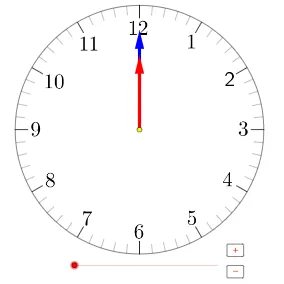
Loading the math board and drawing, please wait…
This example demonstrates an interactive geometry sketch driven by rotation and angle constraints: vectors, circles, and polygonal elements are constructed and transformed so that geometric relationships become visible curves and ratio-based relations. Key math concepts include 2D vectors, angle-dependent rotation, construction of circles/segments/polygons, and conditional (if) logic to select or build the appropriate parts of the diagram. The original theme also suggests links to arithmetic and probability/statistics topics such as Poisson distribution within the lesson workflow. Construction highlights in GeoGebra: Rotate is used to rotate objects around a pivot; Angle provides or measures the controlling angle parameter; If implements conditional construction; Segment, Circle, and Polygon create the fundamental geometric primitives; Sequence supports iterative sampling or stepping through parameters; Vector defines directional quantities; and multiple points/variables (e.g., vectors and labeled points like A, P, α, and collections of objects such as B–M), together with lists (list1, list2, list3, list4, list6) and buttons (button1, button2), enable a guided step-by-step or batch generation of the sketch. Suitable for secondary school through early university audiences, for geometry construction, coordinate-geometry visualization, and classroom demonstrations that connect parameters, transformations, and curve sketching.
GeoGebra Commands & Parameters
Rotate(A + (0, r - (2 * h)), ((-(6°)) * min), A) → PAngle(P, A, N) → αIf(floor(a / 60) ≟ 0, 12, floor(a / 60)) → hrSegment(A + (0, r), A + (0, r - h)) → a1Sequence(Rotate[a1, (30 * i°), A], i, 0, 11) → list1Segment(A + (0, r), A + (0, r - m)) → a2Sequence(Sequence[Rotate[a2, (i * 30°) + (j * 6°), A], j, 1, 4], i, 0, 11) → list2Circle(A, r) → cSequence(Rotate[A + (0, r - h), ((-(30°)) * i), A], i, 1, 12) → list6Element(list6, 1) → BElement(list6, 2) → CElement(list6, 3) → DElement(list6, 4) → EElement(list6, 5) → FElement(list6, 6) → GElement(list6, 7) → HElement(list6, 8) → IElement(list6, 9) → JElement(list6, 10) → KElement(list6, 11) → LElement(list6, 12) → MSequence(Rotate[A + (0, r - (2.5 * h)), ((-(6°)) * i), A], i, 0, 59) → list3Vector(A, P) → uSequence(Rotate[A + (0, (0.5 * r)), ((-(30°)) * j) - α / 12, A], j, 0, 11) → list4Rotate(A + (0, (0.6 * r)), ((-(30°)) * hr) - α / 12, A) → QVector(A, Q) → vPolygon(O, R, S, T) → poly1, o, r_1, s, tIf(hr + 1 > 12, 1, hr + 1) → hr_t
AI Drawing Prompt Reference
Create an interactive geometry sketch driven by rotation and angle constraints, demonstrating vectors, circles, and polygons constructed and transformed to reveal geometric relationships as curves and ratio-based relations. Include multiple vectors that rotate and relate to each other under angle control, with conditional logic selecting or building parts of the diagram. Feature rotational elements, angle parameters, circles, polygons, and parametric sequences to illustrate 2D vectors, angle-dependent rotation, geometric construction, and conditional logic.
The prompt above was compiled from the original drawing commands and is for reference only.