
Vector Basics
Loading the math board and drawing, please wait…
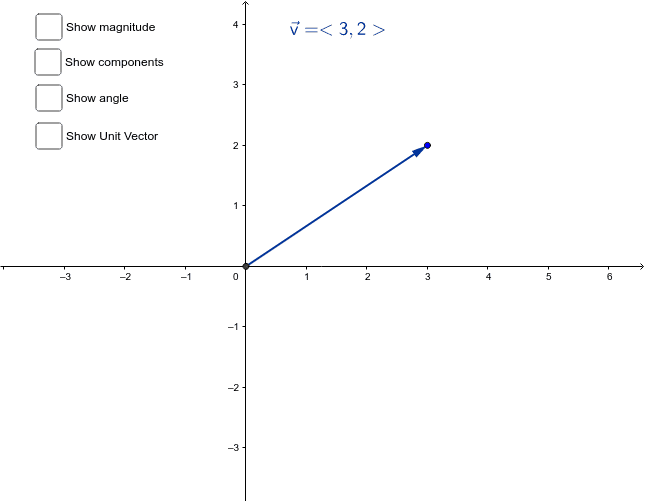
This example demonstrates how the magnitude, components, and angle of a vector change by dragging its endpoints. Key concepts include vectors, angles, and lines. It uses Vector, Angle, and Line commands in GeoGebra. Suitable for middle school and above students to learn basic vector concepts.
GeoGebra Commands & Parameters
Vector(A, B) → vVector(A, (x(B), y(A))) → uVector(A, (x(A), y(B))) → wAngle(v) → αLine(C, A) → cUnitVector(v) → e
AI Drawing Prompt Reference
Draw vector v, then draw its two component vectors u and w. Measure the magnitude of vector v to get angle α. Finally, draw a line passing through point C and point A.
The prompt above was compiled from the original drawing commands and is for reference only.