
Frank's Circles Problem: Change Circle Number
Loading the math board and drawing, please wait…
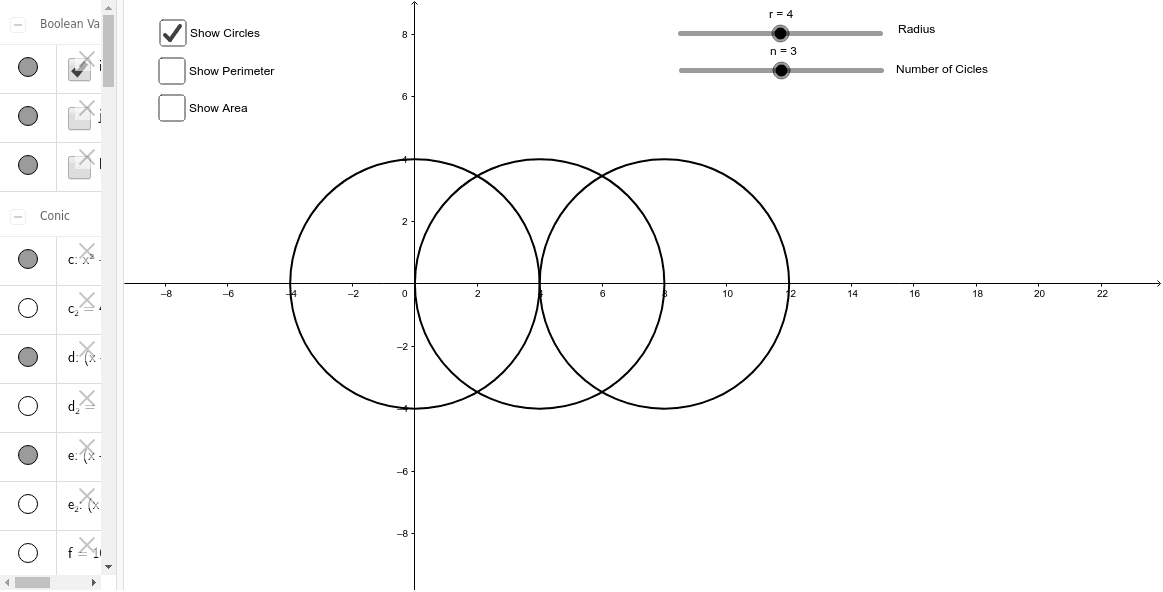
This example demonstrates a geometric challenge problem for students, showing how to break down a region into shapes to find a solution. It involves core math concepts like area, circle, perimeter, and geometric construction. Constructed using GeoGebra commands such as Point, Circle, Intersect, CircleArc, Segment, Polygon, and CircleSector. Ideal for high school mathematics education, enhancing geometric construction and problem-solving skills.
GeoGebra Commands & Parameters
Point(yAxis) → ACircle(A, r) → cIntersect(c, xAxis, 2) → BCircle(B, r) → dIntersect(d, xAxis, 2) → CCircle(C, r) → eIntersect(c, d, 1) → DIntersect(d, e, 1) → EIntersect(d, e, 2) → FIntersect(c, d, 2) → GCircleArc(A, D, G) → fCircleArc(B, G, F) → gCircleArc(C, F, E) → hCircleArc(B, E, D) → kSegment(A, D) → aPolygon(D, A, G, B) → poly1, d_1, a_1, g_1, bPolygon(E, B, F, C) → poly2, e_1, b_1, f_1, c_1CircleSector(A, D, G) → pCircleSector(B, E, D) → qCircleSector(B, G, F) → r_1CircleSector(C, F, E) → sIntersect(e, xAxis, 2) → HCircle(H, r) → tIntersect(c, g_1, 1) → IIntersect(c, d, 2) → JIntersect(c, d, 1) → KCircleArc(I, J, K) → h_1CircleSector(I, J, K) → k_1Intersect(e, t, 1) → LIntersect(e, xAxis, 2) → MIntersect(e, t, 2) → NIntersect(d, t, 1) → OPolygon(L, M, N, O) → poly3, l_1, m, n_1, oIntersect(d, e, 1) → PCircleSector(O, L, P) → p_1Intersect(d, e, 2) → QCircleSector(O, Q, N) → q_1CircleSector(M, N, L) → s_1CircleArc(O, L, P) → t_1CircleArc(O, Q, N) → c_2CircleArc(M, N, L) → d_2Intersect(t, xAxis, 2) → RCircle(R, r) → e_2Intersect(t, e_2, 1) → SIntersect(t, e_2, 2) → TPolygon(S, R, T, M) → poly4, s_2, r_2, t_2, m_1CircleSector(M, S, L) → f_2CircleSector(M, N, T) → g_2CircleSector(R, T, S) → h_2CircleArc(M, S, L) → k_2CircleArc(M, N, T) → p_2CircleArc(R, T, S) → q_2