
Vector Addition Exploration: Triangle & Parallelogram Law
Loading the math board and drawing, please wait…
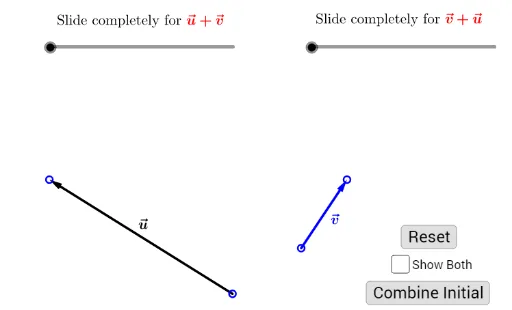
This GeoGebra example dynamically demonstrates the geometric meaning of vector addition, showing how to add vectors by translating them to form triangles or parallelograms. Key mathematical concepts include vector coordinate representation, commutativity and associativity of vector addition, the triangle rule (head-to-tail method) and the parallelogram rule (starting from the same point). Construction uses Vector command to create basic vectors u and v, Translate for parallel displacement, Segment for auxiliary lines, Point for key vertices, If for conditional display, and interactive buttons. Ideal for middle/high school vector introduction or as preparation for college vector algebra.
GeoGebra Commands & Parameters
Vector(A, B) → u'Vector(C, D) → v'Segment(B, C) → bPoint(b, 1 - t_1) → EVector(C, E) → TransUVTranslate(C, TransUV) → C'Translate(D, TransUV) → D'Segment(A, D) → aPoint(a, t_2) → FVector(A, F) → TransVUTranslate(A, TransVU) → A'Translate(B, TransVU) → B'Vector(C', D') → vSegment(D', A) → cPoint(c, 2 - t_1) → GVector(A, G) → UVSegment(B', C) → dPoint(d, 2 - t_2) → HVector(C, H) → VUVector(F, B') → uIf(Show ≟ true, t_1, 0) → Show_1If(Show ≟ true, t_2, 0) → Show_2
AI Drawing Prompt Reference
Draw a geometric figure to demonstrate vector addition. The figure should include two vectors, u and v. Use the triangle rule to connect them head-to-tail to form a triangle. Also, show the parallelogram rule by starting from the same point, translating u and v and connecting them to form a parallelogram. Include auxiliary lines, points, and possibly interactive buttons to help understand the concept of vector addition.
The prompt above was compiled from the original drawing commands and is for reference only.