
Vector Addition and Subtraction Simulation
Loading the math board and drawing, please wait…
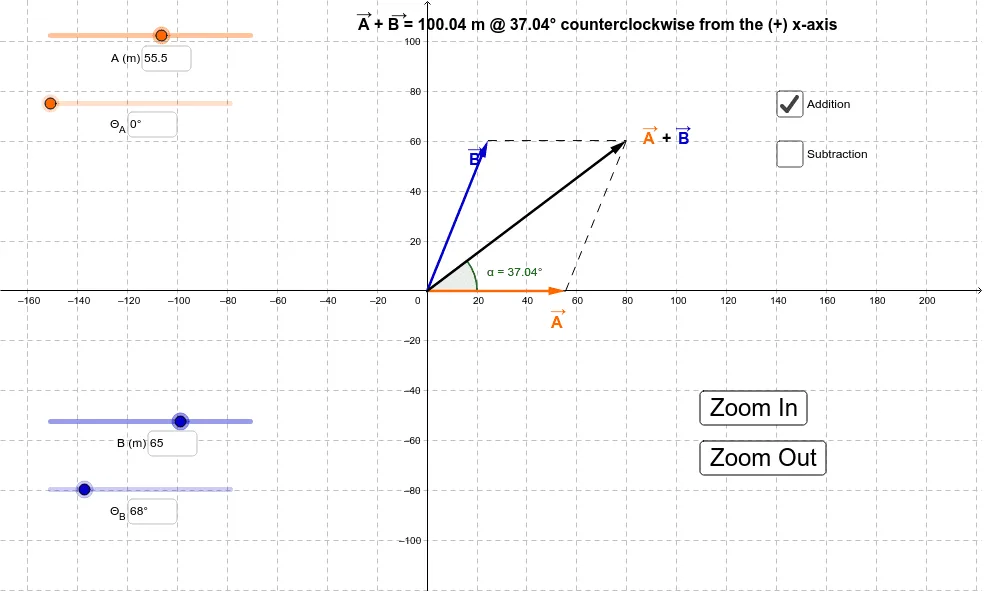
This is a simulation of vector addition and subtraction. It demonstrates the basic concepts of vector addition and subtraction. By understanding the commands and objects used in the construction summary, one can learn how to create dynamic vector addition and subtraction graphics using GeoGebra. Suitable for high school mathematics education and learning.
GeoGebra Commands & Parameters
Intersect(xAxis, yAxis) → CVector(C, B) → uVector(C, A) → vIf(d, Vector[u + v], Vector[v - u]) → wTextfield(Θ_1) → InputBox1Textfield(Θ_1) → InputBox2Textfield(r_1) → InputBox3Textfield(Θ_2) → InputBox4Textfield(r_2) → InputBox5Segment(A, C) → aSegment(A, D) → bSegment(B, D) → cAngle((100, 0), (0, 0), D) → αSegment(E, D) → f
AI Drawing Prompt Reference
Create a dynamic simulation of vector addition and subtraction. Draw two vectors starting from the origin, each in a distinct color. Add a third vector that represents either the sum or difference of the two, switchable via input boxes. Include a triangle formed by the vector endpoints and connecting segments. Label an angle showing the direction of one vector relative to the horizontal axis. The layout should be clear for educational demonstration of vector operations.
The prompt above was compiled from the original drawing commands and is for reference only.