
Geometric Simulation of Vector Addition and Subtraction with Angles
Loading the math board and drawing, please wait…
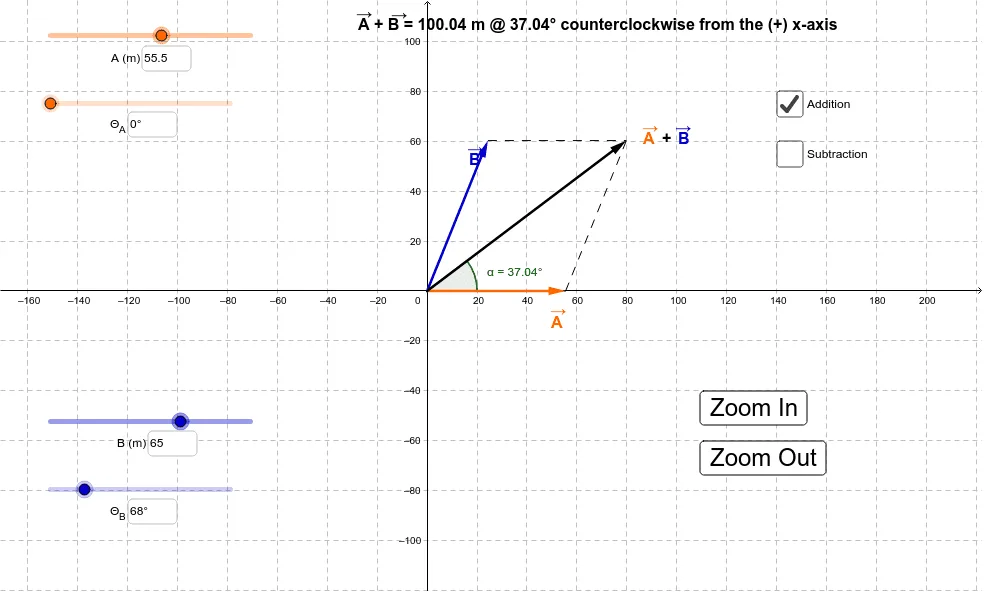
This example demonstrates, with an interactive geometric simulation, how vector addition and subtraction are realized in the plane via the head-to-tail composition idea and how the difference vector’s direction and magnitude follow from the construction. It centers on key concepts: vector addition/subtraction, direction angles (e.g., Θ1 and Θ2), and the relationship between vectors and the included angles. The construction uses Intersect to determine crucial endpoints from intersecting geometric entities, Vector to build vectors (such as u, v, w and parameter-driven vectors), Angle to compute/display the relevant angle measures (including α, Θ1, Θ2), and Segment to draw the connecting chains that visually represent the sum/difference. Textfield/Text are used to label parameters and intermediate quantities (e.g., r1, r2, D, a, b, c), while InputBox and buttons support interactive parameter changes. The diagram is suitable for middle to early university levels and works well for instruction, practice, and conceptual exploration of vector composition.
GeoGebra Commands & Parameters
Intersect(xAxis, yAxis) → CVector(C, B) → uVector(C, A) → vIf(d, Vector[u + v], Vector[v - u]) → wTextfield(Θ_1) → InputBox1Textfield(Θ_1) → InputBox2Textfield(r_1) → InputBox3Textfield(Θ_2) → InputBox4Textfield(r_2) → InputBox5Segment(A, C) → aSegment(A, D) → bSegment(B, D) → cAngle((100, 0), (0, 0), D) → αSegment(E, D) → f
AI Drawing Prompt Reference
Draw the geometric addition or subtraction of two vectors u and v, including their starting point C and endpoints A, B, and the resultant vector or difference vector w. Adjust the direction of the vectors using angle input boxes, determine key point D through intersection, draw line segments a, b, c, and f, and display angle α.
The prompt above was compiled from the original drawing commands and is for reference only.