
Varignon 3D Action: REVAMPED!
Loading the math board and drawing, please wait…
In collections
GeoGebra 3D & AR: PreCalc & Calculus Resources
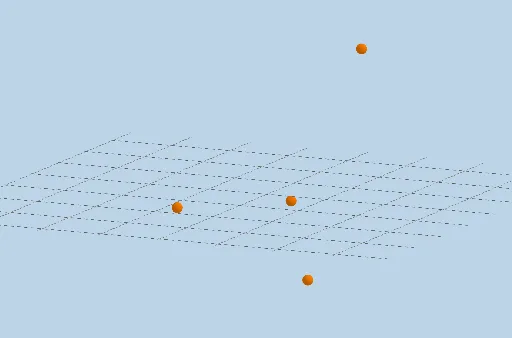
This is a dynamic illustration of a quadrilateral formed by the midpoints of four consecutive segments connecting four non-coplanar points. Key mathematical concepts include vectors, transformations, and solid geometry. The construction uses commands such as Midpoint, Dilate, Segment, Rotate, Vector, Translate, and Polygon. Suitable for high school or university-level solid geometry education.
GeoGebra Commands & Parameters
Midpoint(A, B) → EMidpoint(B, C) → FMidpoint(C, D) → GMidpoint(D, A) → HDilate(A, If[0 < a ≤ 1, 1 - a, 0], E) → A'Segment(A, A') → fDilate(E, If[1 < a ≤ 2, 2 - a, 0], B) → E'Segment(E, E') → gRotate(A, If[2 < a ≤ 3, ((-(a - 2)) * π), (-π)], E, Plane[A, E, F]) → A'_1Segment(E, A'_1) → hDilate(B, If[3 < a ≤ 4, 4 - a, 0], F) → B'Segment(B, B') → iDilate(F, If[4 < a ≤ 5, 5 - a, 0], C) → F'Segment(F, F') → jRotate(B, If[5 < a ≤ 6, ((-(a - 5)) * π), (-π)], F, Plane[B, C, G]) → B'_1Dilate(C, If[6 < a ≤ 7, 7 - a, 0], G) → C'Segment(C, C') → lDilate(G, If[7 < a ≤ 8, 8 - a, 0], D) → G'Segment(G, G') → mRotate(C, If[8 < a ≤ 9, ((-(a - 8)) * π), (-π)], G, Plane[C, D, H]) → C'_1Segment(G, C'_1) → nDilate(D, If[9 < a ≤ 10, 10 - a, 0], H) → D'Segment(D, D') → pDilate(H, If[10 < a ≤ 11, 11 - a, 0], A) → H'Segment(H, H') → qRotate(D, If[11 < a ≤ 12, ((-(a - 11)) * π), (-π)], H, Plane[D, A, E]) → D'_1Segment(H, D'_1) → rSegment(F, B'_1) → kDilate(G, If[13 < a ≤ 14, 14 - a, 0], H) → G'_1Segment(G, G'_1) → sDilate(H, If[14 < a ≤ 15, 15 - a, 0], E) → H'_1Segment(H, H'_1) → tDilate(G, If[15 < a ≤ 16, 16 - a, 0], F) → G'_2Vector(G, G'_2) → uTranslate(G, u) → G'_3Translate(G'_1, u) → ISegment(G'_3, I) → s'Dilate(E, If[16 < a ≤ 17, 17 - a, 0], F) → E'_1Vector(E, E'_1) → vTranslate(H, v) → H'_2Translate(H'_1, v) → JSegment(H'_2, J) → t'Polygon(G, H, E, F) → q1, g_1, h_1, e, f_1
AI Drawing Prompt Reference
In 3D space, take four non-coplanar points and connect them sequentially to form four continuous segments. Mark the midpoint of each segment, then connect these midpoints to form a quadrilateral. Using an adjustable parameter, apply a series of transformations—such as translation, rotation, or scaling—to each vertex and its adjacent midpoint, causing the shape to evolve dynamically. Each vertex moves along the line to its neighboring midpoint or rotates around that midpoint within a plane, while preserving the quadrilateral structure. The final result is a dynamic solid-geometry model showing the midpoint quadrilateral and its transformations, illustrating concepts of vectors, transformations, and spatial relationships.
The prompt above was compiled from the original drawing commands and is for reference only.