
Unfolding Cylinders
Loading the math board and drawing, please wait…
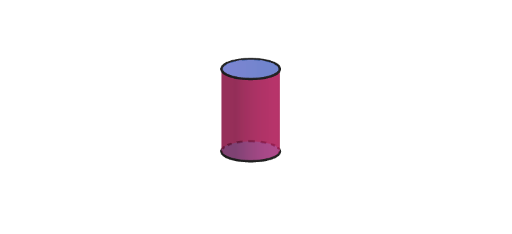
This example demonstrates how to unfold the lateral surface of a cylinder and create a net. By adjusting the dimensions of the cylinder, one can explore its geometric properties. The key mathematical concepts include the development of cylinders, surface area calculations, and geometric construction. The construction involves using GeoGebra commands such as Point, Circle, Ray, Polygon, Net, and Cylinder to build the cylinder model. It is suitable for middle school mathematics teaching, particularly for grades 6 to 8, to help students understand solid geometry and geometric applications.
GeoGebra Commands & Parameters
Point(yAxis) → CAPoint(yAxis) → CBCircle(CA, CB) → cCilPoint(cCil) → CRay(A, (x(A), y(A), 40)) → hPoint(yAxis) → BSequence(Rotate[C, ((t * 2) * pi / n), A], t, 1, n) → vertPolygon(vert) → polyOrthogonalLine(C, xOyPlane) → fSegment(HC, (x(C), y(C), 4)) → gPoint(g) → EPrism(poly, Segment[C, E]) → a, F, face3, face4, face5, face6, face2, face13, face15, faceFGHIJK, edge1, edge2, G, edge3, edge4, edge5, edge6, edge13, edge16, edgeFG, edgeGH, edgeHI, edgeIJ, H, edgeJK, edgeFK, edge14, edge17, I, J, K, L, M, face1Point(Segment[(0, 0, 0.1), (0, 0, 4)]) → CDPyramid(poly, CD) → b, face7, edge8, edge9, edge10, edge11, edge12, edge15, edge18, face9, face10, face11, face12, face8, face14, face16, edge7Net(a, (-open)) → prismNet, N, W, Z, A_1, B_1, C_1, D_1, E_1, F_1, G_1, H_1, O, I_1, J_1, K_1, L_1, M_1, N_1, O_1, P_1, Q_1, R_1, P, S_1, face17, face18, face19, face20, face21, face22, face23, face24, face34, Q, face35, edge19, edge20, edge21, edge22, edge23, edge24, edge25, edge26, edge27, R, edge28, edge29, edge30, edge31, edge32, edge33, edge34, edge35, edge36, edge37, S, edge38, edge39, edge40, edge41, edge42, edge43, edge44, edge45, edge70, edge71, T, edge72, edge73, edge74, edge75, edge76, edge77, edge78, edge79, edge80, edge81, U, VNet(b, (-open)) → pyrNet, T_1, E_2, F_2, G_2, H_2, I_2, J_2, K_2, face25, face26, face27, U_1, face28, face29, face30, face31, face32, face33, edge46, edge47, edge48, edge49, V_1, edge50, edge51, edge52, edge53, edge54, edge55, edge56, edge57, edge58, edge59, W_1, edge60, edge61, edge62, edge63, edge64, edge65, edge66, edge67, edge68, edge69, Z_1, A_2, B_2, C_2, D_2Random(3, 8) → nRandCircle(CA, CB) → dCylinder(cCil, 3) → bCil, eCil, fCilLine(CC, xAxis) → aCilOrthogonalLine(CD, xOyPlane) → gCilCircle(gCil, CC) → kCilRotate(Rotate[eCil, ϕCil, aCil], ϕCil, xAxis) → eeCilRotate(Rotate[eCil, ϕCil, aCil], ϕCil, xAxis) → dCilCircle(CA, CB) → hCilIf(abs(tCil) < 1, ((rCil * sin((-θCil))), ((rCil * (1 - cos((-θCil)))) * cos(ϕCil)) - (3 * sin(ϕCil)), (3 * cos(ϕCil)) + ((rCil * (1 - cos((-θCil)))) * sin(ϕCil))), ((-pi), (-3 * sin(ϕCil)), (3 * cos(ϕCil)))) → CEIf(abs(tCil) < 1, ((rCil * sin(θCil)), ((rCil * (1 - cos(θCil))) * cos(ϕCil)) - (3 * sin(ϕCil)), (3 * cos(ϕCil)) + ((rCil * (1 - cos(θCil))) * sin(ϕCil))), (pi, (-3 * sin(ϕCil)), (3 * cos(ϕCil)))) → CFIf(abs(tCil) < 1, ((rCil * sin((-θCil))), ((rCil * (1 - cos((-θCil)))) * cos(ϕCil)), ((rCil * (1 - cos((-θCil)))) * sin(ϕCil))), ((-pi), 0, 0)) → CGIf(abs(tCil) < 1, ((rCil * sin(θCil)), ((rCil * (1 - cos(θCil))) * cos(ϕCil)), ((rCil * (1 - cos(θCil))) * sin(ϕCil))), (pi, 0, 0)) → CHSegment(CE, CG) → mCilSegment(CF, CH) → nCilLine((0, 1, 0), zAxis) → pCilCircle(pCil, CB) → qCilCircle(pCil, CB) → sCilOrthogonalLine((1, 0, 0), xOyPlane) → aConCircle(aCon, (0, 0, 0)) → cConPoint(aCon) → KAIntersect(xAxis, aCon) → KBCone(KB, KA, 1) → bCon, dCon, eConIntersect(yAxis, xAxis) → KCSegment(KC, KA) → lConDistance(KB, KC) → rConAngle(KA, KC, KB) → αRotate(KA, (abs(tCil) * α), yAxis) → KAAOrthogonalLine(KAA, xOyPlane) → fConIntersect(fCon, xOyPlane) → KBBRotate(KC, bet / 2, fCon) → KCCRotate(KC, ((-bet)) / 2, fCon) → KCRCircumcircleArc(KCC, KC, KCR) → gConDistance(KAA, KBB) → hConDistance(KBB, KCC) → rcConSurface(((kCon - ((v * rcCon) * cos((u * bet / 2)))) * cos(ϕCon)) - (((1 - v) * hCon) * sin(ϕCon)), ((v * rcCon) * sin((u * bet / 2))), (((1 - v) * hCon) * cos(ϕCon)) + ((kCon - ((v * rcCon) * cos((u * bet / 2)))) * sin(ϕCon)), u, -1, 1, v, 0, 1) → jConCurveCartesian(((kCon - (rcCon * cos((u * bet / 2)))) * cos(ϕCon)), (rcCon * sin((u * bet / 2))), ((kCon - (rcCon * cos((u * bet / 2)))) * sin(ϕCon)), u, -1, 1) → mConSegment(KE, KF) → nConSegment(KD, KF) → pConIf(abs(tCil) < 1, CurveCartesian[(rCil * sin((u * θCil))), ((rCil * (1 - cos((u * θCil)))) * cos(ϕCil)) - (3 * sin(ϕCil)), (3 * cos(ϕCil)) + ((rCil * (1 - cos((u * θCil)))) * sin(ϕCil)), u, -1, 1], CurveCartesian[(pi * u), (-3 * sin(ϕCil)), (3 * cos(ϕCil)), u, -1, 1]) → jCilIf(abs(tCil) < 1, CurveCartesian[(rCil * sin((u * θCil))), ((rCil * (1 - cos((u * θCil)))) * cos(ϕCil)), ((rCil * (1 - cos((u * θCil)))) * sin(ϕCil)), u, -1, 1], CurveCartesian[(pi * u), 0, 0, u, -1, 1]) → lCilIf(abs(tCil) < 1, Surface[(rCil * sin((u * θCil))), ((rCil * (1 - cos((u * θCil)))) * cos(ϕCil)) - (v * sin(ϕCil)), (v * cos(ϕCil)) + ((rCil * (1 - cos((u * θCil)))) * sin(ϕCil)), u, -1, 1, v, 0, 3], Surface[(pi * u), ((-v) * sin(ϕCil)), (v * cos(ϕCil)), u, -1, 1, v, 0, 3]) → iCil
AI Drawing Prompt Reference
To draw an unfolded net of a cylinder, showing the lateral surface as a rectangle and two circles as the bases. Adjusting the cylinder dimensions allows exploration of geometric properties such as surface area. The construction process involves first creating the cylinder model, then unfolding the lateral surface to generate the net. The net includes a rectangle and two circles, clearly illustrating the three-dimensional structure of the cylinder. This is suitable for middle school mathematics teaching to help students understand solid geometry and geometric applications.
The prompt above was compiled from the original drawing commands and is for reference only.