
Ubiquitous Triangles: Constructing a Triangle Family via Complex Numbers & Trans
Loading the math board and drawing, please wait…
In collections
geometriadinamica.es
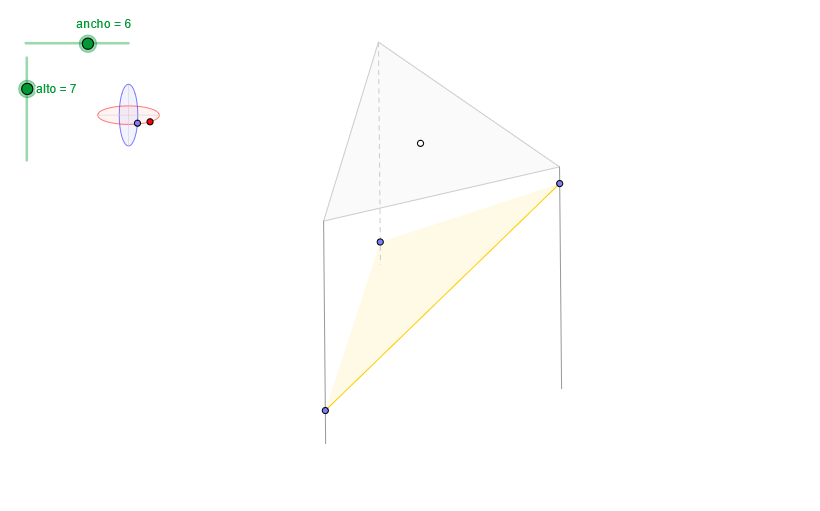
This example demonstrates how to generate a family of “ubiquitous” triangles across the plane by combining complex-number representations with geometric transformations, highlighting which geometric relationships remain invariant under the construction. Key concepts include complex-number operations (interpreted geometrically as additions/divisions, i.e., transformations), the role of geometric means/ratio-type configurations (connected to midpoint or proportional constructs), vector composition as reflected by parallelogram relations, and angle-based control (to fix directions and rotation). Construction-wise, it uses GeoGebra tools such as OrthogonalLine for perpendicular constraints, Circle and Ellipse to define circular/elliptic loci or auxiliary frames, Intersect to compute critical intersection points, and Point/Segment/Polygon to build vertices, sides, and triangle regions. Angle is used to enforce or visualize the governing angle conditions. Translate and Vector establish translation and vector relationships, while the combination of vector/angle information supports rotation-like placement in the triangle family. Finally, Sequence and Element (together with stored point sets like pointsA/pointsB and labels such as B1/B2/B3) allow the triangles to update and appear in multiple positions as a dynamic construction. Suitable for high-school advanced geometry and early university topics on complex numbers, transformation geometry, and dynamic geometric exploration.
GeoGebra Commands & Parameters
OrthogonalLine(C, xAxis) → z2Circle(C, 0.62) → z0Intersect(z0, z2, 1) → Z4Intersect(z0, z2, 2) → Z3Ellipse(Z3, Z4, 0.65) → zElipse2Point(zElipse2) → ZIntersect(zElipse2, z2) → Z7, Z8Angle(Z8, C, Z) → zAngIncOrthogonalLine(C, yAxis) → z1Intersect(z0, z1, 2) → Z2Intersect(z0, z1, 1) → Z1Ellipse(Z1, Z2, 0.65) → zElipse1Point(zElipse1) → XYTranslate((0, 0), v) → OOrthogonalLine(O, yAxis) → dPoint(d) → GVector((0, 0), G) → wIntersect(zElipse1, z1) → Z5, Z6Segment(Z5, Z6) → z4Segment(Z7, Z8) → z3Intersect(zElipse2, zElipse1, 1) → zPunto1Intersect(zElipse2, zElipse1, 4) → zPunto2Segment(zPunto1, zPunto2) → zSeg2Angle(Z6, C, XY) → zAngRotSequence(PuntoEsfera[C, XY, Z, radio, 0, (s * α)], s, 0, n) → puntosASequence((x(w) + x(Element[puntosA, s]), y(w) + y(Element[puntosA, s])), s, 1, n + 1) → puntosBElement(puntosB, 1) → B1Element(puntosB, 2) → B2Element(puntosB, 3) → B3Polygon(B1, B2, B3) → poly2, b1, b2, b3Sequence(Segment[Element[puntosB, s], Element[puntosA, s]], s, 1, n) → aristasSequence(Angle[Element[puntosB, s + 1], Element[puntosB, s], Element[puntosA, s + 1]], s, 1, n) → angulosSequence(If[s > 1 ∧ Element[angulos, s - 1] > 180° ∧ Element[angulos, s] > 180°, false, If[s ≟ 1 ∧ Element[angulos, n] > 180° ∧ Element[angulos, s] > 180°, false, true]], s, 1, n) → aristasVisiblesElement(aristas, 1) → a1Element(aristas, 1) → a1bElement(aristas, 2) → a2Element(aristas, 2) → a2bElement(aristas, 3) → a3Element(aristas, 3) → a3bPoint(a1) → APoint(a2) → BPoint(a3) → DPolygon(A, D, B) → poly1, p3, p2, p1Sequence(If[Element[angulos, s] > 180°, false, true], s, 1, n) → carasVisiblesAngle(B1, B2, B3) → β
AI Drawing Prompt Reference
Construct a family of triangles generated by complex number representations and geometric transformations. Start by generating a series of triangles on the plane using complex number operations and geometric transformations. Define auxiliary frames with circles and ellipses, and determine critical points through intersections. Then, use vector and angle information for translation and rotation, and finally, dynamically display multiple triangle positions using sequence and element commands.
The prompt above was compiled from the original drawing commands and is for reference only.