
Triangular Pyramid Dynamic Construction and Interactive Exploration
Loading the math board and drawing, please wait…
In collections
P1 P2 立體圖形 / 3D Shapes
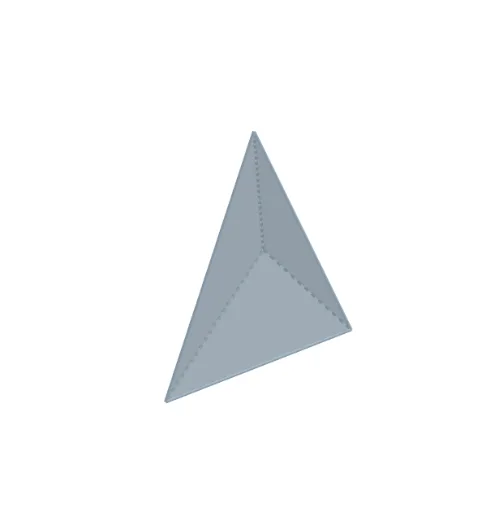
① This example demonstrates a triangular pyramid (tetrahedron) in 3D, with dynamic construction allowing users to adjust sliders and observe changes in faces and vertices. ② Core mathematical concepts include solid geometry: pyramid definition, polygonal faces, rotation axes, and spatial point-line relationships; tags also mention Poisson distribution, orthocenter, and incircle, but the main focus is the geometric construction of the triangular pyramid. ③ Construction details: From the summary, GeoGebra commands such as Line, If, Polygon, Rotate, and Pyramid are used, creating multiple points (ShapePt1, ShapePt2, ShapePt3), faces (face1, face2, face3), base (ShapeBase), and a rotation axis (RotateAxis), with sliders (TextSlider1-6) for interactive parameter control. ④ Suitable for high school or early college solid geometry lessons, and for math lab activities to help students intuitively understand 3D shape generation and transformation.
GeoGebra Commands & Parameters
Line((0, 1, 0), (0, 0, 0)) → RotateAxisIf(ShowChi, "依據立體底的形狀命名", "Naming by the base of the shape") → TextShowName2If(ShowChi, "立體高度", "Height") → TextSlider1If(ShowChi, "立體大小", "Size") → TextSlider2If(ShowChi, "立體位置(高低)", "Vertical Position") → TextSlider3If(ShowChi, "立體位置(橫向)", "Horizontal Position") → TextSlider4If(ShowChi, "透明度", "Transparency") → TextSlider6If(ShowChi, "旋轉立體", "Rotate the shape") → TextSlider5If(ShowChi, "用這圖形調節立體底部的形狀", "Adjust the base of the 3D shape by this figure.") → TextName3Polygon(ShapePt1a, ShapePt2a, ShapePt3a) → ShapeBase2D, shapept3a, shapept1a, shapept2aPolygon(ShapePt1, ShapePt2, ShapePt3) → ShapeBase, shapept3, shapept1, shapept2Rotate(ShapeBase, S5, ShapePtAxis, RotateAxis) → ShapeBaseRPyramid(ShapeBaseR, (S1 * S2)) → Shape, A, face1, face3, face2, edge1, edge2, edge3If(ShowChi, "角錐", "Pyramid") → TextName1If(ShowChi, "三角錐體", "Triangular Pyramid") → TextName2
AI Drawing Prompt Reference
Create a dynamic triangular pyramid with interactive features, showing its 3D structure. The base is a triangle adjustable in size via sliders, while the height, position, transparency, and rotation can also be controlled. The three triangular faces and apex are clearly visible, with the entire shape updating in real-time as parameters change, ideal for geometric demonstrations.
The prompt above was compiled from the original drawing commands and is for reference only.