
Triangular Prism Construction and Volume
Loading the math board and drawing, please wait…
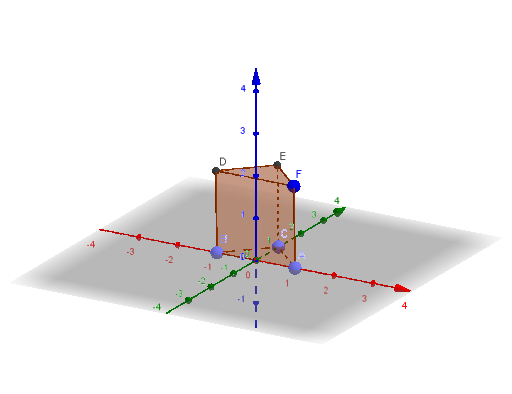
① This example demonstrates how to construct a triangular prism in GeoGebra's 3D view and compute its volume. ② Core mathematical concepts include the definition of a prism in solid geometry, vertices, edges, faces, and the volume formula (base area × height). ③ Construction details: use the Point command to create vertices A, B, C, F, the Prism command to generate the prism, and the Volume command to calculate its volume; objects include the base triangle ABC, lateral faces ABDF, BCED, ACEF, top face DEF, and all edges (edgeAB, edgeBC, etc.). ④ Suitable for middle school or high school geometry lessons, helping students intuitively understand prism structure and volume calculation, and can be used for dynamic demonstrations of prism transformations.
GeoGebra Commands & Parameters
Point(xAxis) → APoint(xAxis) → BPoint(yAxis) → CPrism(A, B, C, F) → a, D, edgeAC, edgeAF, edgeBD, edgeCE, edgeDF, edgeDE, edgeEF, E, faceABC, faceABDF, faceBCED, faceACEF, faceDEF, edgeAB, edgeBCVolume(a) → b
AI Drawing Prompt Reference
Draw a triangular prism with base triangle ABC, side faces ABDF, BCED, ACEF, and top face DEF, along with all edges such as AB and BC. First, create points A and B on the x-axis, and point C on the y-axis. Then, use the prism command to generate the prism, and finally calculate its volume.
The prompt above was compiled from the original drawing commands and is for reference only.