
Triangular Prism by Andrew Hacker
Loading the math board and drawing, please wait…
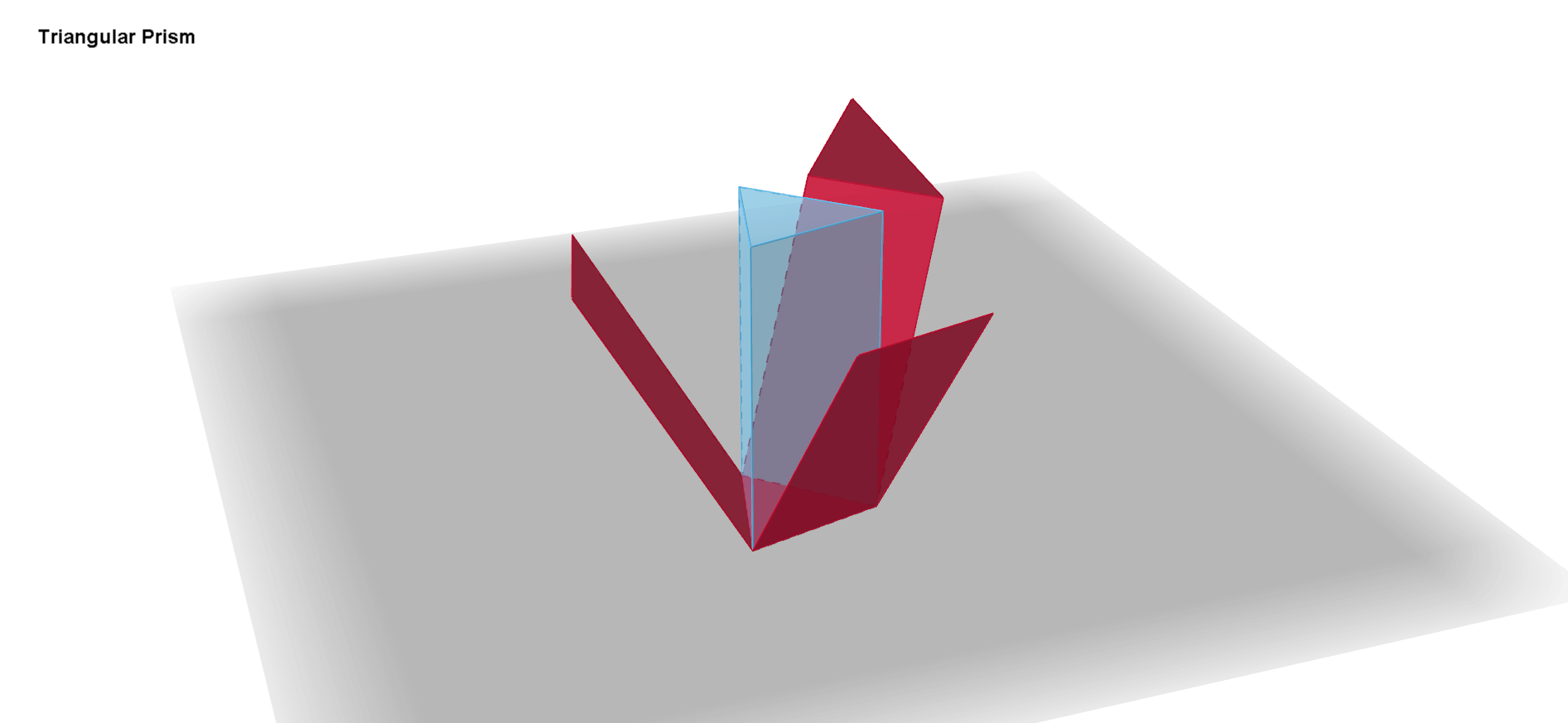
This example demonstrates the construction and net of a triangular prism. Core math concepts include polygons, solid geometry, and geometric construction. It uses commands like Point, Polygon, Prism, Net, and LaTeX to create vertices, faces, prisms, and nets. Suitable for high school solid geometry teaching or software application learning.
GeoGebra Commands & Parameters
Point(yAxis) → APoint(xAxis) → BPolygon(A, B, 3) → poly1, a, b, c, CPrism(poly1, 12) → d, D, edgeCF, edgeDE, edgeEF, edgeDF, E, F, faceABED, faceBCFE, faceACFD, faceDEF, edgeAD, edgeBENet(d, e) → f, G, P, faceGHI, faceGHKJ, faceHIML, faceGINO, faceJKP, edgeGH, edgeHI, edgeGI, edgeGJ, H, edgeJK, edgeHK, edgeHL, edgeLM, edgeIM, edgeIN, edgeNO, edgeGO, edgeKP, edgeJP, I, J, K, L, M, N, OLaTeX(e, true, true) → text1LaTeX(e, true, true) → text2
AI Drawing Prompt Reference
Draw a triangular prism and its net. Start by placing two points on the coordinate axes to define the base triangle, then construct an equilateral triangle as the base. Extrude this triangle upward to a given height to form the prism, which has three rectangular side faces and two triangular bases. Then unfold the prism into a flat net showing all faces: one triangular base, three rectangles, and the other triangular base, with edge lengths labeled. Finally, add text annotations to indicate key measurements of the prism.
The prompt above was compiled from the original drawing commands and is for reference only.