
Triangle Rotation Tessellation Step 6: Decorative Tile
Loading the math board and drawing, please wait…
In collections
Triangle Rotation Tessellation
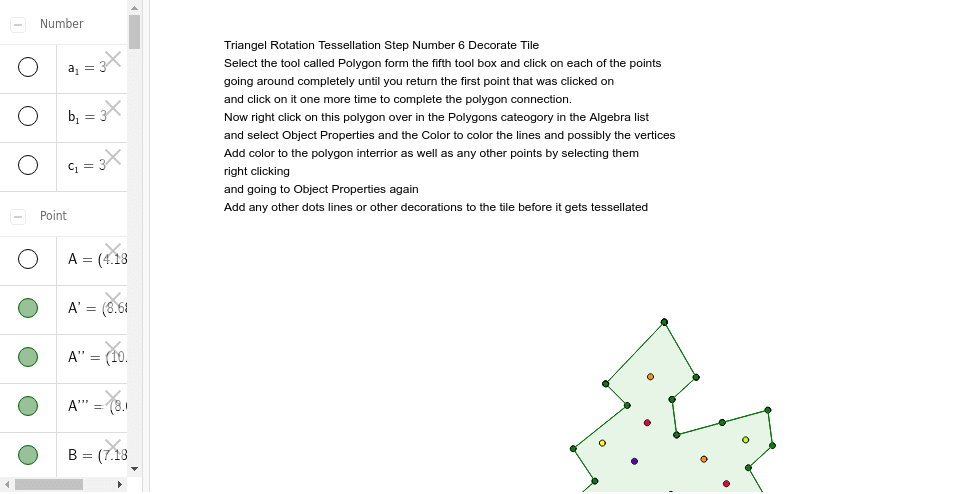
This example demonstrates the creation of a decorative tessellation pattern by rotating a scalene triangle around its vertices. It illustrates key concepts such as rotation transformation, symmetry, polygon tiling, and angle relationships. The construction uses GeoGebra commands like Point, Segment, Rotate, Midpoint, Polygon, and Intersect, and defines numerous points (e.g., A, B, C, D, A', B', etc.) to achieve precise rotations and intersections. Suitable for high‑school geometry and transformation topics, as well as interdisciplinary art‑math projects.
GeoGebra Commands & Parameters
Point(Circle[A, 3]) → BSegment(A, B) → aPoint(Circle[B, 3]) → CSegment(B, C) → bPoint(Circle[C, 3]) → DSegment(C, D) → cRotate(A, -120*°, B) → A'Rotate(B, -120*°, B) → B'Segment(A', B') → a'Rotate(C, 120*°, C) → C'Rotate(D, 120*°, C) → D'Segment(C', D') → c'Segment(A', E) → dSegment(E, F) → eSegment(F, G) → fSegment(G, H) → gSegment(H, B) → hRotate(A', -60*°, B) → A''Rotate(E, -60*°, B) → E'Segment(A'', E') → d'Rotate(E, -60*°, B) → E'_1Rotate(F, -60*°, B) → F'Segment(E'_1, F') → e'Rotate(F, -60*°, B) → F'_1Rotate(G, -60*°, B) → G'Segment(F'_1, G') → f'Rotate(G, -60*°, B) → G'_1Rotate(H, -60*°, B) → H'Segment(G'_1, H') → g'Rotate(H, -60*°, B) → H'_1Rotate(B, -60*°, B) → B'_1Segment(H'_1, B'_1) → h'Rotate(B', -60*°, B) → B''Rotate(D', -60*°, B) → D''Midpoint(c') → ISegment(I, J) → iSegment(J, K) → jPoint(c') → LSegment(K, L) → kSegment(L, C) → lRotate(I, 180*°, I) → I'Rotate(J, 180*°, I) → J'Segment(I', J') → i'Rotate(J, 180*°, I) → J'_1Rotate(K, 180*°, I) → K'Segment(J'_1, K') → j'Rotate(K, 180*°, I) → K'_1Rotate(L, 180*°, I) → L'Segment(K'_1, L') → k'Rotate(L, 180*°, I) → L'_1Rotate(C, 180*°, I) → C'_1Segment(L'_1, C'_1) → l'Rotate(C', 180*°, I) → C''Rotate(A'', 180*°, I) → A'''Rotate(D'', 180*°, I) → D'''Polygon(A', E, C, L, K, J, I, J', K', L', F, G, H, B, H', G', F', E') → poly1, a'_1, e'_1, c_2, l_1, k_1, j_1, i_1, j'_1, k'_1, l'_1, e_1, f_1, g_1, h_1, b_2, h'_1, g'_1, f'_1Intersect(a'_1, e_1) → M