
Triangle Rotation Tessellation Step 1: Construct Triangle Segments
Loading the math board and drawing, please wait…
In collections
Triangle Rotation Tessellation
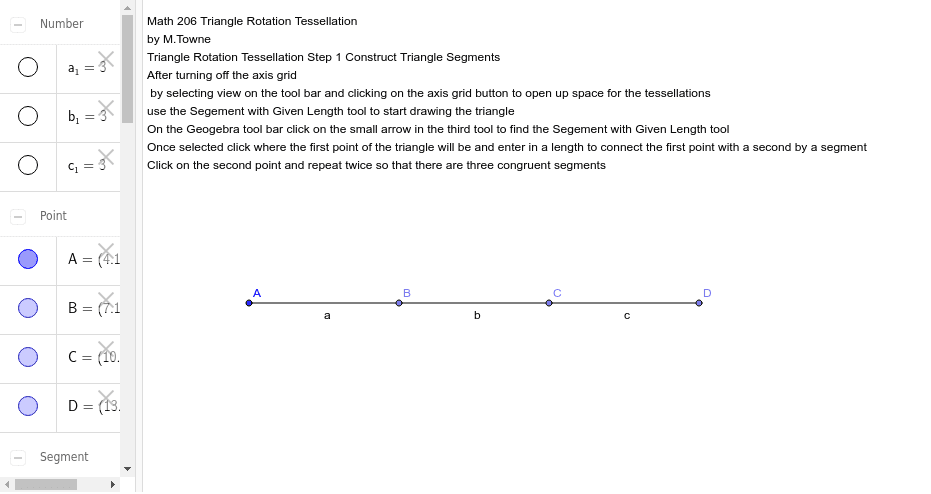
This GeoGebra example demonstrates the first step of building a triangle rotation tessellation by constructing the fundamental triangle segments that serve as the tile for a repeating plane pattern. Core mathematical concepts include geometric rotation, triangle vertices and sides, tessellation, and rigid transformations that preserve shape and size while generating symmetry. The construction uses GeoGebra Point commands to create vertices A, B, C, and D, Segment commands to draw segments a_1, a, b_1, b, c_1, and c, and a text object text1 for labeling, laying the groundwork for rotational tiling. It is suitable for high school geometry or undergraduate courses such as Math 206, supporting classroom demonstration and independent inquiry into how rotation produces seamless tessellations.
GeoGebra Commands & Parameters
Point(Circle[A, 3]) → BSegment(A, B) → aPoint(Circle[B, 3]) → CSegment(B, C) → bPoint(Circle[C, 3]) → DSegment(C, D) → c
AI Drawing Prompt Reference
Draw a starting figure for a triangle rotation tessellation. First, draw three points A, B, and C to form a triangle. Then, draw line segments a from B, b from C, and c from D. These segments form the sides of the triangle, creating a basic triangle. Next, repeat the triangle by rotating and translating it to create a seamless tessellation. Ensure the pattern maintains symmetry and geometric integrity.
The prompt above was compiled from the original drawing commands and is for reference only.