
Triangle Inside Circle
Loading the math board and drawing, please wait…
In collections
Circles
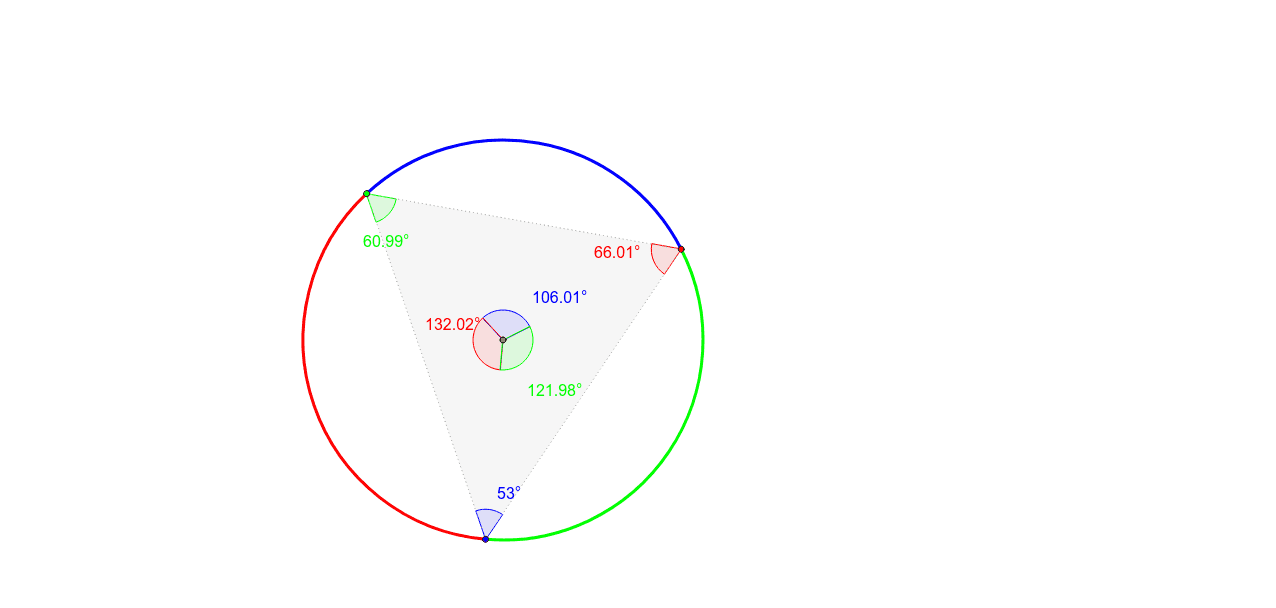
This example demonstrates constructing a triangle inside a circle and exploring its properties and variations. Core math concepts include circle, triangle, angle, similar triangles, and trigonometry. Construction highlights involve commands like Circle, OrthogonalLine, Intersect, Rotate, CircleArc, Point, Polygon, and Angle from GeoGebra. Suitable for high school mathematics teaching or student exploration of geometric properties, especially those involving transformations and measurements.
GeoGebra Commands & Parameters
Circle(A, 4) → cOrthogonalLine(A, a) → bIntersect(c, b, 2) → BRotate(B, 120*°, A) → B'Rotate(B, -120*°, A) → B'_1CircleArc(A, B, B') → dCircleArc(A, B', B'_1) → eCircleArc(A, B'_1, B) → fPoint(d) → CPoint(e) → DPoint(f) → EPolygon(D, C, E) → poly1, e_1, d_1, c_1CircleArc(A, E, C) → gCircleArc(A, C, D) → hCircleArc(A, D, E) → kAngle(D, C, E) → αAngle(C, E, D) → βAngle(E, D, C) → γAngle(E, A, C) → δAngle(C, A, D) → εAngle(D, A, E) → ζ
AI Drawing Prompt Reference
Draw a circle and a line through its center. Create perpendicular lines from the center to the line, intersecting the circle at two points. Draw arcs between these points and the center, forming an equilateral triangle. Connect the center to the triangle's vertices to create three sectors. Measure and label the interior angles of the triangle and the central angles of the sectors.
The prompt above was compiled from the original drawing commands and is for reference only.