
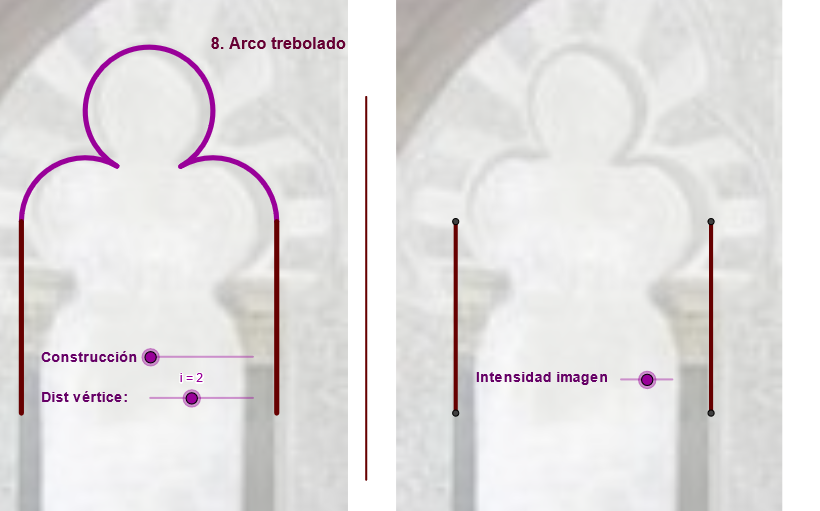
Trefoil Arch Construction
Loading the math board and drawing, please wait…
In collections
geometriadinamica.es
This example demonstrates the geometric construction and properties of a Trefoil Arch. It involves core mathematical concepts such as segments, circles, rotations, reflections, and polygons. The construction utilizes commands like Midpoint, Segment, Rotate, Circle, and Polygon in GeoGebra. Suitable for high school mathematics education, showcasing applications of spatial geometry and transformations.
GeoGebra Commands & Parameters
Midpoint(C, D) → FMidpoint(F, C) → RMidpoint(R, F) → VIf(zz < 0, 10, zz) → jSegment(D, B) → eLine(F, e) → kMidpoint(C, D) → ESegment(A, C) → dRotate(C, 359.91000000000014°, E) → C''CircumcircleArc(C, C'', S1) → gSegment(C, F) → rMirror(D, k) → D'_1Segment(R, S1) → fMirror(C, k) → C'Mirror(C'', k) → C'''Mirror(S1, k) → S1'CircumcircleArc(C', C''', S1') → g'Mirror(S1, k) → S1'_1Mirror(S1, k) → S1'_2Mirror(R, k) → R'Mirror(S1, k) → S1'_3Segment(R', S1'_3) → f'Circle(V, C) → e_2Mirror(C, k) → C'_3Mirror(S1, k) → S1'_4Mirror(V, k) → V'Midpoint(R, C) → WMirror(C, k) → C'_4Mirror(V, k) → V'_1Circle(C, i) → hIntersect(h, r, 1) → GMirror(G, k) → G'Circle(G, G') → pIntersect(p, k, 1) → HPolygon(G, H, G') → poly2, g'_1, g_1, h_1Rotate(C, Max[-2.09, (((-(j - 2)) * 3.14) * 2 / 9)], G) → C'_1Rotate(C'_1, (-Min[5.24, ((j - 5) * 5.24 / 3)]), H) → ISegment(I, H) → lCircleArc(H, I, C'_1) → qSegment(C'_1, G) → sCircleArc(G, C'_1, C) → tMirror(G, k) → G'_1Mirror(C'_1, k) → JMirror(C, k) → C'_2Arc(Mirror[Circle[G, C'_1], k], J, C'_2) → t'Mirror(C'_1, k) → KMirror(G, k) → G'_2Segment(K, G'_2) → s'Midpoint(C, D) → LSegment(C, L) → a_1Circle(C, m) → c_1Intersect(c_1, a_1, 1) → MLine(M, k) → b_1Circle(M, C) → d_1Intersect(d_1, b_1, 1) → NOrthogonalLine(N, k) → e_1Intersect(k, e_1) → OCircle(N, O) → f_1Intersect(f_1, b_1, 1) → PIntersect(c_1, e_1, 1) → QRotate(C, Min[1.57, ((n - 2) * 1.57 / 2)], Q) → C'_5Rotate(N, Min[1.57, ((n - 5) * 1.57 / 3)], P) → N'CircleArc(Q, C, C'_5) → k_1Segment(Q, C'_5) → i_1CircleArc(P, N, N') → p_1Segment(P, N') → j_1Mirror(P, k) → P'Mirror(N, k) → N'_1Mirror(N', k) → N''Arc(Mirror[Circle[P, N], k], N'_1, N'') → q_1Mirror(Q, k) → Q'Mirror(C, k) → C'_6Mirror(C'_5, k) → A_1Arc(Mirror[Circle[Q, C], k], C'_6, A_1) → r_1Mirror(P, k) → P'_1Mirror(N', k) → N''_1Segment(P'_1, N''_1) → l_1Mirror(Q, k) → Q'_1Mirror(C'_5, k) → B_1Segment(Q'_1, B_1) → m_1Segment(T2, T1) → f_2Mirror(D, f_2) → D'Mirror(B, f_2) → B'Segment(D', B') → e'Mirror(A, f_2) → A'Mirror(C, f_2) → C'_7Segment(A', C'_7) → d'Vector(A, B') → u_1Translate(pic1, u_1) → pic1'Translate(pic1, u_1) → pic1'_1Midpoint(C, D) → D_1
AI Drawing Prompt Reference
This is a geometric figure composed of multiple circles and line segments, including a central point, symmetric arcs, and connecting lines. The figure is created through rotations, reflections, and arc constructions, demonstrating spatial geometry and transformations. The construction order involves determining midpoints, drawing line segments, rotating points, drawing arcs, and multiple reflections, resulting in a complex symmetric figure.
The prompt above was compiled from the original drawing commands and is for reference only.