
Trapezoidal Rule for Area of Absolute Value Function
Loading the math board and drawing, please wait…
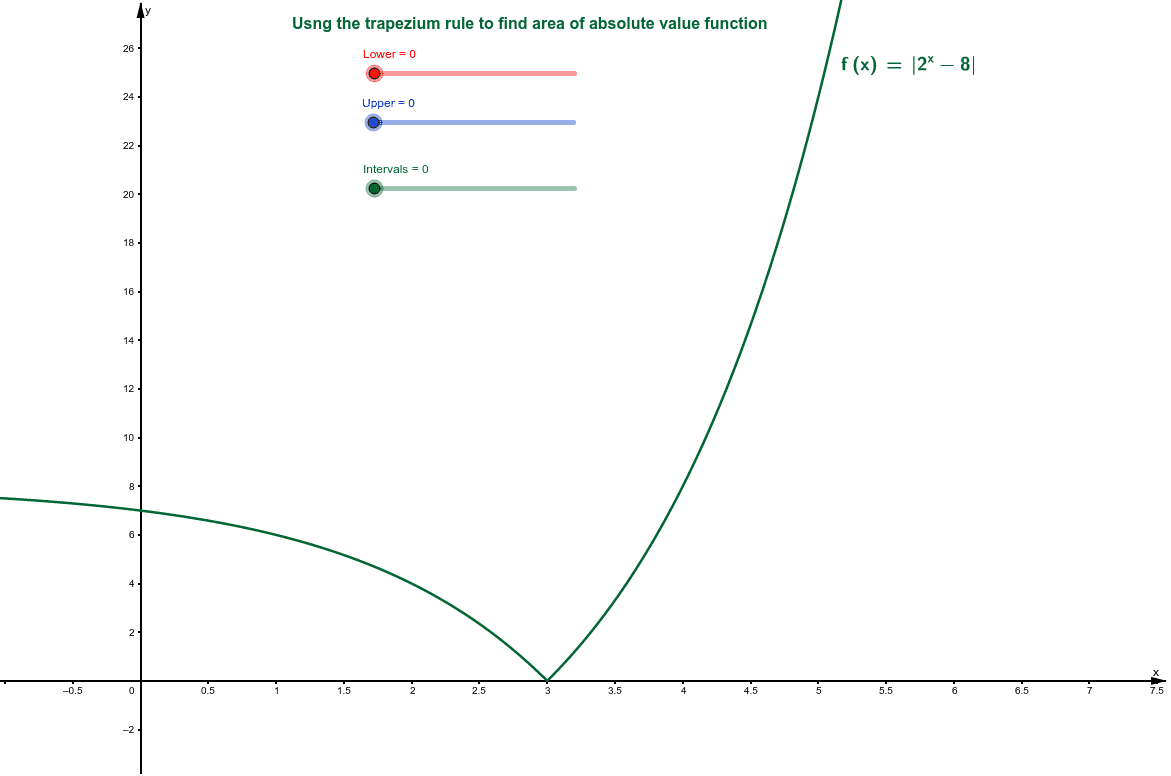
This example demonstrates how to use the trapezoidal rule to find the area under an absolute value function. Key mathematical concepts include integration and the trapezoidal rule. Using the GeoGebra command TrapezoidalSum, multiple trapezoids are constructed to approximate the area under the function. Suitable for high school mathematics education and learning.
GeoGebra Commands & Parameters
LaTeX(f, true, true) → text1TrapezoidalSum(f, Lower, Upper, Intervals) → c
AI Drawing Prompt Reference
Draw the graph of an absolute value function, and illustrate the trapezoidal rule for approximating the area under the curve. First plot the function curve. Then, from the lower to upper bound, divide the interval into a specified number of equal subintervals. For each subinterval, construct a trapezoid whose top side connects two points on the curve and whose bottom side lies on the x-axis. Arrange all trapezoids side by side to form a stepped approximation of the area. Also display the function expression as a label, and show the total sum of the trapezoid areas as a numerical value, to visually compare the approximate area with the true area.
The prompt above was compiled from the original drawing commands and is for reference only.