
Translate Triangle and Give Coordinates
Loading the math board and drawing, please wait…
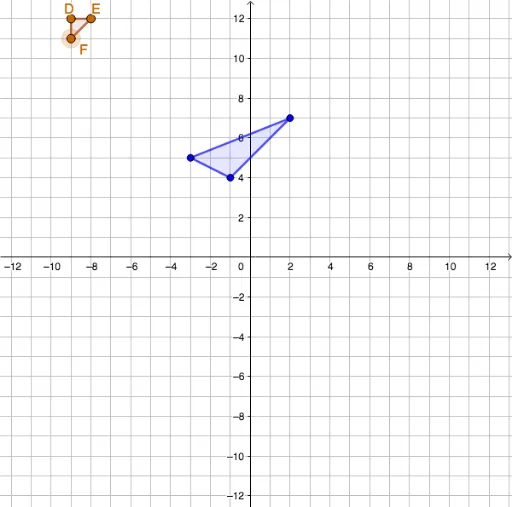
This example demonstrates translating a triangle by a vector in GeoGebra and displaying the coordinates of the translated vertices in real time. The core mathematical concepts are vector translation in the plane and coordinate geometry of points. Construction highlights: use the Polygon command to create the original triangle ABC, define a translation vector v, apply the Translate command to generate the translated triangle A'B'C', and use Textfield and If commands to dynamically show coordinate values. Suitable for middle and high school students learning vectors, coordinate transformations, and geometric translations, as well as for classroom demonstrations. By adjusting sliders or input boxes, students can visually observe how the triangle's position changes and how the coordinate values correspond, deepening their understanding of vector addition and translation properties.
GeoGebra Commands & Parameters
Polygon(A, C, B) → t1, b, a, cPolygon(D, E, F) → t2, f, d, eRemove(Sequence[-5, 5], {0}) → ltxRemove(Sequence[-5, 5], {0}) → ltyElement(ltx, slx) → txElement(lty, sly) → tyVector((0, 0), (tx, ty)) → vElement({"five units left", "four units left", "three units left", "two units left", "one unit left", "one unit right", "two units right", "three units right", "four units right", "five units right"}, slx) → txwordElement({"down five units", "down four units", "down three units", "down two units", "down one unit", "up one unit", "up two units", "up three units", "up four units", "up five units"}, sly) → tywordTranslate(A, v) → A'Translate(C, v) → C'Translate(B, v) → B'Polygon(A', C', B') → t1', b', a', c'If(t1 ≟ t2 ∧ (D ≟ A' ∨ D ≟ B' ∨ D ≟ C'), true, false) → ansTextfield(X) → InputBox1Textfield(Y) → InputBox2Textfield(Z) → InputBox3If(D ≟ X, true, false) → ansDIf(E ≟ Y, true, false) → ansEIf(F ≟ Z, true, false) → ansF
AI Drawing Prompt Reference
Draw a triangle on a coordinate plane. Provide sliders or input boxes to control a translation vector with horizontal and vertical components ranging from five units left/right and five units down/up. Based on the current vector, translate the entire triangle to create a new triangle, and display the coordinates of its three vertices in real time. Also place three input fields where users can enter guessed coordinates; the system will check whether each entry matches the corresponding translated vertex and indicate correct or incorrect.
The prompt above was compiled from the original drawing commands and is for reference only.