
Transformations of Functions by mathspace
Loading the math board and drawing, please wait…
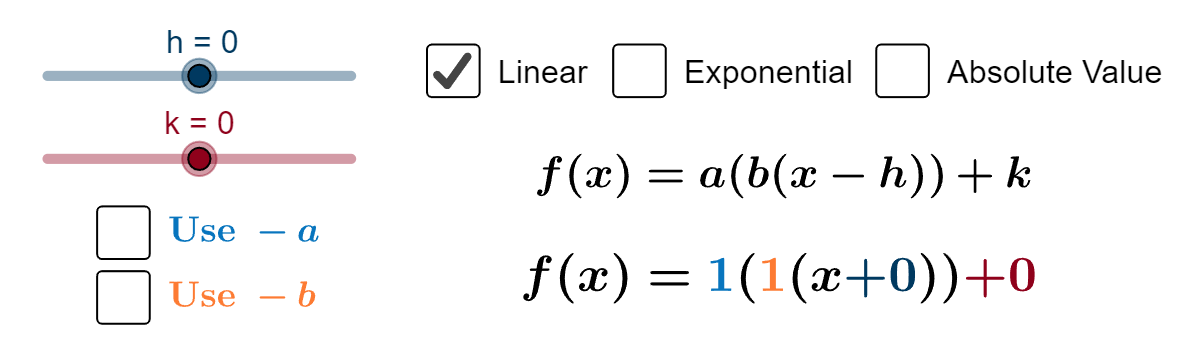
This example demonstrates the geometric features of function graphs after transformations such as translation and scaling. Key mathematical concepts include function transformations, coordinate geometry, and graphical analysis. Construction involves GeoGebra commands like If, Vector, Distance, etc. Suitable for high school students or college undergraduates learning function transformations and geometric constructions.
GeoGebra Commands & Parameters
If(s ≟ true, (h, c + k), (h, k)) → AIf(s ≟ true, (0, 1), (0, 0)) → BIf(g ≟ true, (x(A) + 1 / e, f(x(A) + 1 / e)), If[j ≟ true, (x(A) + 1 / e, m(x(A) + 1 / e)), If[s ≟ true, (x(A) + 1 / e, r(x(A) + 1 / e))]]) → CVector(A, E) → vIf(s ≟ true, (1, 1), (1, 0)) → B'Vector(B, B') → aVector(E, C) → wDistance(E, C) → distanceECDistance(E, D) → distanceEDIf(s ≟ true, (1, 2), (1, 1)) → FVector(B', F) → uDistance(B', F) → distanceB'FDistance(B, B') → distanceBB'Vector(G, H) → nDistance(G, H) → distanceGHCorner(text8, 1) → c1Corner(text8, 2) → c2Corner(linear4, 3) → c_{linear4}Corner(linear5, 3) → c_{linear5}Corner(exp1, 3) → c_{exp1}Corner(expa, 3) → c_{expa}Corner(exp2, 3) → c_{exp2}Corner(exp3, 3) → c_{exp3}Corner(expb, 3) → c_{expb}Corner(exp4, 3) → c_{exp4}Corner(exph, 3) → c_{exph}Corner(exp5, 3) → c_{exp5}Corner(abs1, 3) → c_{abs1}Corner(absa, 3) → c_{absa}Corner(abs2, 3) → c_{abs2}Corner(absb, 3) → c_{absb}Corner(abs3, 3) → c_{abs3}Corner(absh, 3) → c_{absh}Corner(abs4, 3) → c_{abs4}Corner(text14, 1) → linearc1Corner(text14, 2) → linearc2Corner(text15, 1) → expc1Corner(text15, 2) → expc2Corner(text16, 1) → absc1Corner(text16, 2) → absc2
AI Drawing Prompt Reference
In the same coordinate plane, draw function graphs and define transformation reference points to control how the graph is shifted or scaled. Choose key points that represent the original and the transformed correspondences. From a chosen reference point, draw the displacement vector toward the transformed point obtained from the graph at a specific horizontal offset, and also form a second displacement vector using the other correspondence pair. Mark the important segment lengths with distance annotations, such as the distance from the reference point to the transformed point and the distance between the two corresponding points. Connect the relevant construction points with a polyline via the vector endpoints, and add angle/position markers near the curves to indicate the notable corners for several of the function-related configurations.
The prompt above was compiled from the original drawing commands and is for reference only.