
Trajectory Inside a Rectangle
Loading the math board and drawing, please wait…
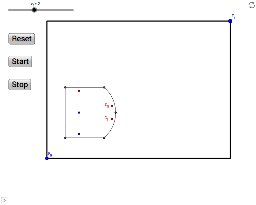
This example demonstrates how to generate trajectories inside a rectangle. Key mathematical concepts include geometric construction and locus. It uses commands like UnitOrthogonalVector, Segment, CircumcircleArc, LineBisector, Intersect, and PolyLine in GeoGebra. Suitable for middle school and above students to learn about geometric construction and locus.
GeoGebra Commands & Parameters
UnitOrthogonalVector(v) → uSegment(B_0, B_1) → aSegment(B_3, B_4) → bSegment(B_4, B_0) → cCircumcircleArc(B_1, B_2, B_3) → dLineBisector(B_3, B_2) → eLineBisector(B_2, B_1) → fIntersect(e, f) → BPolyLine(F_0, (x(F_1), y(F_0)), F_1, (x(F_0), y(F_1)), F_0) → h
AI Drawing Prompt Reference
The construction begins with a rectangle defined by four vertices, then a circumcircle arc passing through three consecutive vertices is added. Perpendicular bisectors of two neighboring sides are drawn, intersecting at a single point. Using two reference points, a polyline is traced through each point and the points obtained by swapping their x and y coordinates, closing the shape to produce a rectangular locus aligned with the axes.
The prompt above was compiled from the original drawing commands and is for reference only.