
Tracing Surfaces in 3D
Loading the math board and drawing, please wait…
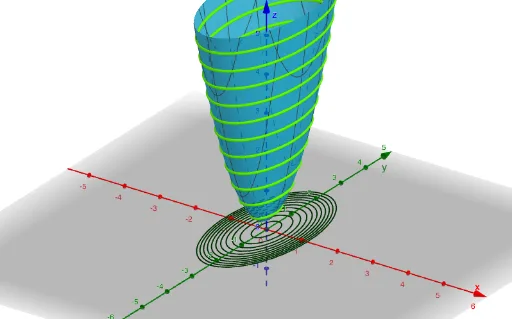
This example demonstrates the process of tracing surfaces in 3D space by dynamically adjusting slice parameters to observe surface shapes. Core math concepts include solid geometry, parametric equations, sequences, and loci. Construction highlights involve GeoGebra commands like Sequence, Zip, and Textfield. Suitable for high school students and math enthusiasts studying spatial geometry and dynamic constructions.
GeoGebra Commands & Parameters
Sequence(k, k, sliceLow, sliceHigh, sliceSkip) → slicesZip(a = b, b, slices) → tracesZip(Translate[b, Vector[(0, 0, c)]], b, traces, c, slices) → liftedTracesTextfield(a) → InputBox1Textfield(sliceLow) → InputBox2Textfield(sliceHigh) → InputBox3Textfield(sliceSkip) → InputBox4