
Traces of Transformed Geometry: Vectors and Conic Sections
Loading the math board and drawing, please wait…
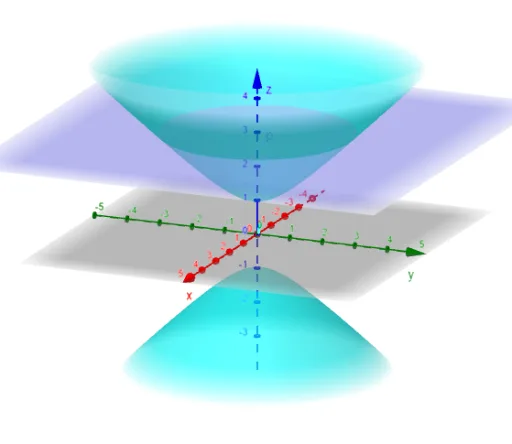
This example demonstrates how to generate and overlay “Traces” by interactively updating parameters, so you can observe continuous paths and evolving spatial relationships during a geometric transformation. It centers on concepts such as conic sections and related surfaces, 2D vector geometry, and dilation/affine-style transformations (including parallelogram-type constructions) that move or reshape geometric objects. The construction is guided by the GeoGebra setup: it uses a Textfield to define multiple parameter variables (k, p, q, r, a, c, b, f and others) and an InputBox (InputBox1) for user input. Those parameters then drive updates to vector-based points/objects, while the Traces feature records the trajectory of the moving object to visualize the resulting locus-like behavior. Suitable for advanced secondary education through early university, and also useful for interactive instruction on parameter-driven motion, vector geometry, and transformation effects.
GeoGebra Commands & Parameters
Textfield(f) → InputBox1
AI Drawing Prompt Reference
Create a geometric figure to demonstrate the transformation traces of vectors and conic sections. Start by creating a text field to input parameters such as k, p, q, r, a, c, b, and f. Then generate vectors and points based on these parameters, and observe the paths formed by these points as the parameters change. Finally, use the trace function to record the movement paths of these points, showcasing the continuous paths and spatial relationships of geometric objects as they evolve.
The prompt above was compiled from the original drawing commands and is for reference only.