
Torus Sections
Loading the math board and drawing, please wait…
In collections
My 3D Collection
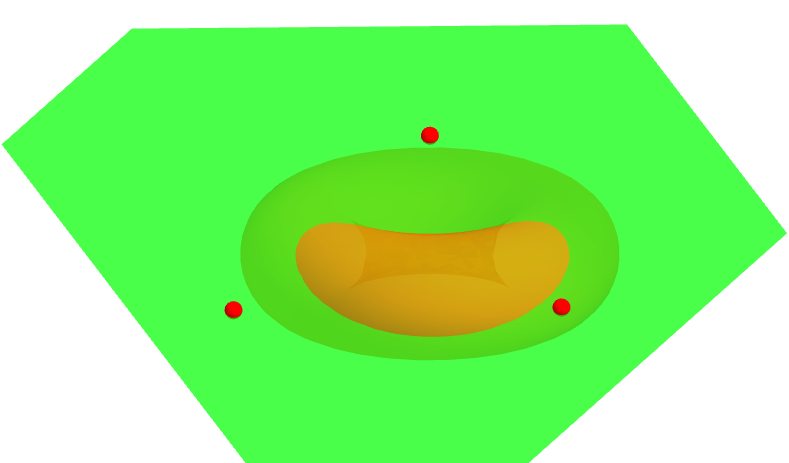
This example explores different types of torus sections by dragging red points. It demonstrates the geometric properties of a torus, involving concepts of circles and solid geometry. The construction uses Surface, Point, and Plane commands in GeoGebra. Suitable for high school and above students studying solid geometry.
GeoGebra Commands & Parameters
Surface(((2 + cos(u)) * cos(t)), ((2 + cos(u)) * sin(t)), sin(u), t, 0, 6.283185307179586, u, 0, 6.283185307179586) → aPoint(zAxis) → APoint(yAxis) → BPoint(xAxis) → CPlane(A, B, C) → b
AI Drawing Prompt Reference
Draw a torus and explore different types of sections by dragging red points to demonstrate its geometric properties involving circles and solid geometry. Begin by plotting the torus using a parametric surface equation, then identify points on the x, y, and z axes, and finally create a plane using these points to observe how the intersection lines change as the plane moves through the torus.
The prompt above was compiled from the original drawing commands and is for reference only.