
Tiled Sphere
Loading the math board and drawing, please wait…
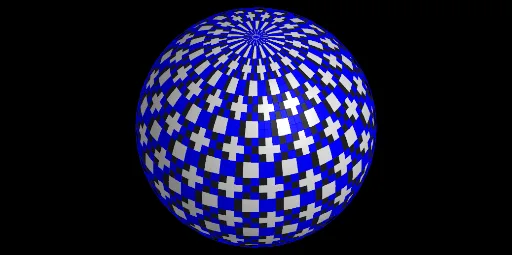
This example demonstrates the construction and visualization of a tiled pattern on a spherical surface. It involves core mathematical concepts such as sphere, cuboid, scalene triangles, incircle or inscribed circle, frequency distribution, and terms. The construction utilizes GeoGebra commands and objects like Join, Sphere, and Sequence. It is suitable for high school and above students to understand spatial geometry and the methods of constructing composite patterns.
GeoGebra Commands & Parameters
Join(Sequence[Sequence[O + (((R * cos(i)) * cos(j)), ((R * cos(i)) * sin(j)), (h_1 * sin(i))), j, 0, 6.28319, π / n], i, 0, 6.28319, π / n]) → liste3Sphere(O, R - 0.1) → iSequence(Polygon[Element[liste3, i], Element[liste3, i + 1], Element[liste3, i + 1 + (2 * n) + e], Element[liste3, i + e + (2 * n)]], i, 1, Length[liste3], h) → liste1Sequence(Polygon[Element[liste3, i], Element[liste3, i - 1], Element[liste3, i - 1 + (2 * n) + e], Element[liste3, i + e + (2 * n)]], i, 1, Length[liste3], h) → liste4
AI Drawing Prompt Reference
Draw a sphere with a tiled pattern on its surface. Start with a semi-transparent sphere, then create a grid of points on the surface using spherical coordinates, arranged in rows and columns. Connect adjacent points to form quadrilateral tiles that cover the entire sphere, creating a mosaic-like pattern. The result is a 3D sphere composed of curved quadrilateral patches, with visible grid lines, giving a geometric and structured appearance.
The prompt above was compiled from the original drawing commands and is for reference only.