
Three Numbers Arithmetic Demo
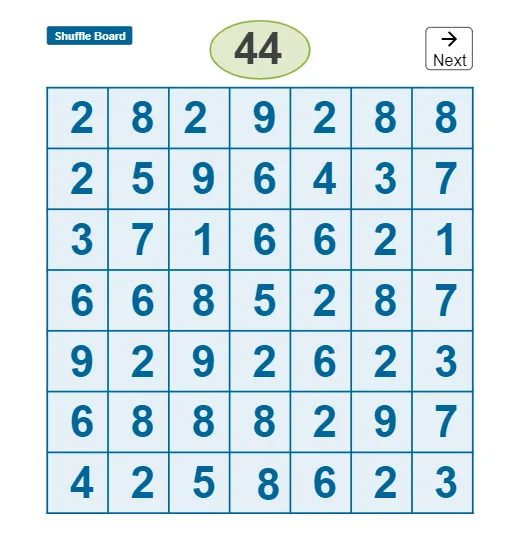
Loading the math board and drawing, please wait…
This example demonstrates arithmetic operations and geometric representations involving three numbers, showcasing the relationship between numbers and shapes through dynamic interaction. Core math concepts include arithmetic, geometric, and harmonic means, as well as binomial distributions. It uses commands like Shuffle, RandomElement, Sequence, Ellipse, Point, Intersect, Polygon, Element, and If in GeoGebra for random number generation and geometric construction, making it suitable for high school and above mathematics teaching, particularly in probability statistics and number-shape integration.
GeoGebra Commands & Parameters
Shuffle(numlist) → numsh, {44, 2, 14, 31, 7, 33, 1, 26, 49, 46, 8, 41, 10, 32, 20, 5, 24, 3, 40, 35, 37, 23, 34, 38, 4, 27, 16, 42, 18, 28, 9, 11, 43, 21, 25, 30, 50, 13, 15, 29, 39, 22, 12, 0, 47, 19, 45, 17, 6, 48, 36}Shuffle(list1) → list2, {2, 5, 4, 9, 6, 8, 7, 1, 3}RandomElement(list1) → aRandomElement(list1) → bRandomElement(list1) → cRandomElement(list1) → dRandomElement(list1) → eRandomElement(list1) → fRandomElement(list1) → gRandomElement(list1) → hRandomElement(list1) → iRandomElement(list1) → jRandomElement(list1) → kRandomElement(list1) → lRandomElement(list1) → mRandomElement(list1) → nRandomElement(list1) → oRandomElement(list1) → pRandomElement(list1) → qRandomElement(list1) → rRandomElement(list1) → sRandomElement(list1) → tSequence(Segment[((3 * n), 0), ((3 * n), 21)], n, 0, 7) → LSequence(Segment[(0, (3 * n)), (21, (3 * n))], n, 0, 7) → L1Ellipse(A, B, C) → c_1Point(yAxis) → DPoint(L1) → EPoint(xAxis) → FIntersect(xAxis, yAxis) → GPolygon(D, E, F, G) → q1, d_1, e_1, f_1, g_1Element(numsh, el) → numberIf(number < 10, (10, 22.2), (9.2, 22.2)) → H