
Tangent Function Exploration
Loading the math board and drawing, please wait…
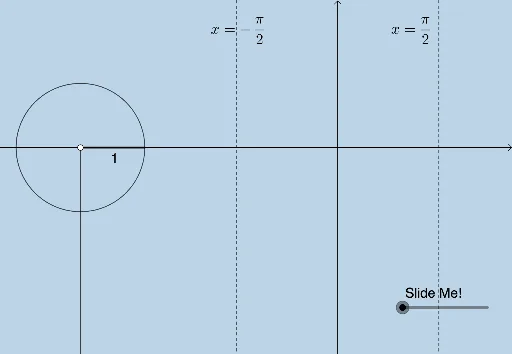
This example demonstrates the graph of the tangent function and its relationship with the unit circle. Core math concepts include the tangent function, unit circle, statistical characteristics, and differential calculus. Construction highlights involve GeoGebra commands like Angle, Ray, Segment, Intersect, Vector, Mirror, OrthogonalLine, Dilate, Translate. Suitable for high school mathematics teaching to visually understand the properties and graphing of the tangent function.
GeoGebra Commands & Parameters
Angle(C, B, A) → αRay(B, A) → iSegment(B, C) → kIntersect(i, j) → DAngle(D, C, B) → βVector(C, D) → uMirror(C, B) → C'OrthogonalLine(C', xAxis) → lIntersect(l, i) → EVector(C', E) → vAngle(D, B, C) → θDilate(D, If[0 < a ≤ 1, 1 - a, 0], F) → D'Vector(D, D') → bTranslate(C, b) → C'_1Vector(C'_1, D') → d
AI Drawing Prompt Reference
Draw a unit circle and mark an angle on it, with one side as the radius and the other as a line extending from the center. Connect the center to the endpoint of the angle's side on the circle. Draw a perpendicular line from the endpoint to the radius. Connect the center to the intersection of the perpendicular line and the circle. Reflect the intersection point over the center to get a new point. Draw a line from the reflected point perpendicular to the x-axis, intersecting the radius. Connect the reflected point to this intersection. Scale and translate the line segment between the center and intersection point to create a new segment. Finally, connect the center to the new intersection point to complete the graph.
The prompt above was compiled from the original drawing commands and is for reference only.