
Tangent Function and Incircle Dynamic Exploration Example
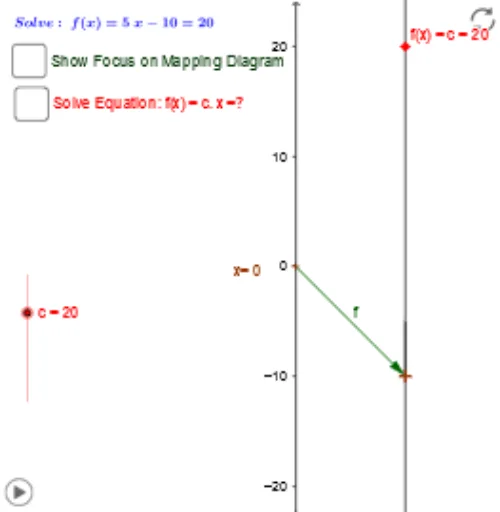
Loading the math board and drawing, please wait…
①This example demonstrates how to construct a dynamic geometric figure in GeoGebra that includes a tangent function graph, an incircle, and interactive points, allowing real-time parameter adjustments via sliders and input boxes. ②Core mathematical concepts include the tangent function, incircle (inscribed circle), trigonometry, geometric construction, and the interplay between functions and geometry. ③Construction highlights: from the summary, commands such as Point, Vector, Textfield, Segment, Line, Intersect, OrthogonalLine, and Ray are used to create base objects; input boxes (inputBox1, inputBox2) and a button (button1) enable interactive parameter control; Focus and Circle commands help construct the incircle; multiple points, lines, circles, and text labels (text3, text4) are included for annotation. ④Suitable for high school or early college students to explore trigonometric graphs, geometric constructions, and dynamic mathematics, and also useful for teachers creating interactive lesson materials.
GeoGebra Commands & Parameters
Point(yAxis) → AVector(A, B) → fTextfield(f_1) → inputBox1Vector(x_1, y_1) → vSegment(f_x, F) → c_1Segment(E, F) → dSegment(A, x_1) → eSegment(B, y_1) → gSegment(B, y_1) → hLine(x_1, y_1) → iLine(A, B) → kIntersect(i, k) → FocusTextfield(c) → inputBox2Line(Focus, C) → nIntersect(n, e) → DIntersect(n, yAxis) → GSegment(G, C) → pVector(G, C) → uIntersect(f_1, q, 1) → IOrthogonalLine(I, q) → rIntersect(r, xAxis) → JVector(H, I) → wVector(I, J) → zVector(C, G) → sVector(I, H) → tVector(J, I) → u_1Ray(Focus, C) → g_1