
Unit Circle and Trigonometric Functions (Animated)
Loading the math board and drawing, please wait…
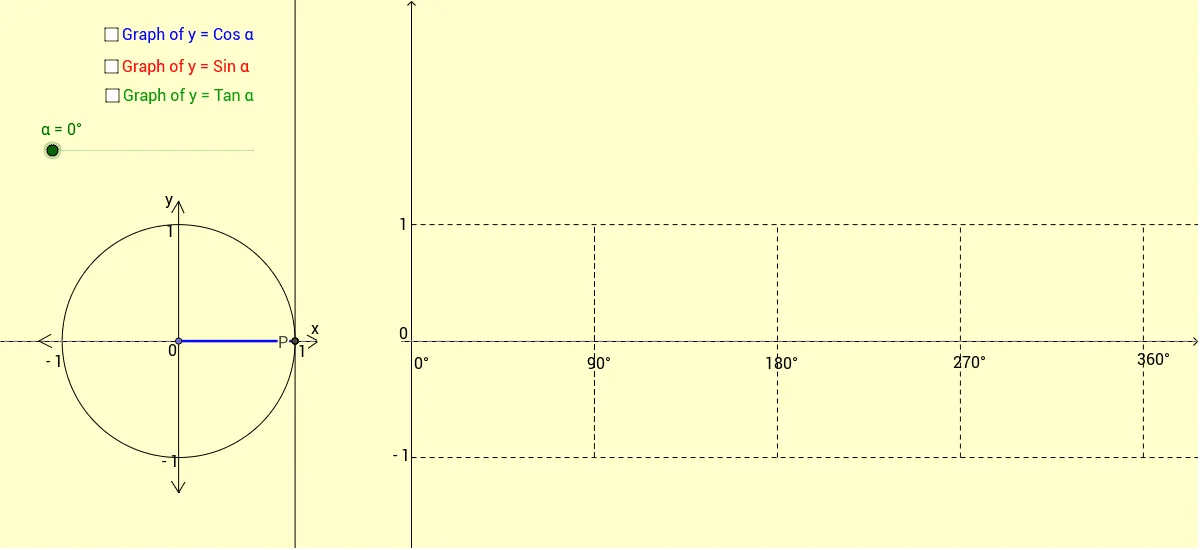
This example demonstrates the unit circle with the y-coordinates of the red and green lines representing the sine and tangent functions, respectively. Using commands like rotation, intersection, and angle, it dynamically illustrates the geometric meaning of trigonometric functions. Suitable for high school and above students to learn about trigonometric functions and the unit circle.
GeoGebra Commands & Parameters
Point(xAxis) → ACircle(A, 1) → cIntersect(c, xAxis, 2) → BRotate(B, α, A) → PAngle(B, A, P) → βSegment(A, P) → aOrthogonalLine(P, xAxis) → bIntersect(b, xAxis) → CTangent(B, c) → d,Line(A, P) → eIntersect(e, d) → DSegment(A, C) → fSegment(C, P) → gSegment(B, D) → hRay(H, U) → qRay(I, V) → rSegment(V, U) → lSegment(X, W) → mSegment(Z, Y) → nSegment(G, F) → pSegment(J, K) → sSegment(K, O) → tSegment(K, Q) → a_1Segment(M, A_1) → b_1Segment(M, B_1) → c_1Segment(J, C_1) → d_1Segment(J, D_1) → e_1Segment(L, N) → f_1Segment(L, E) → g_1Segment(M, M') → h_1Segment(P, S) → jSegment(D, T) → i_1
AI Drawing Prompt Reference
Draw a unit circle and select a point P on the circle, then rotate it around the origin to get point P. Draw a tangent line at point P and let it intersect the x-axis at point D. Connect points A, P, B, and D to form a triangle. Use a slider to adjust the angle and dynamically illustrate the geometric meaning of sine and tangent functions.
The prompt above was compiled from the original drawing commands and is for reference only.