
Convex and Non-Convex Polygons
Loading the math board and drawing, please wait…
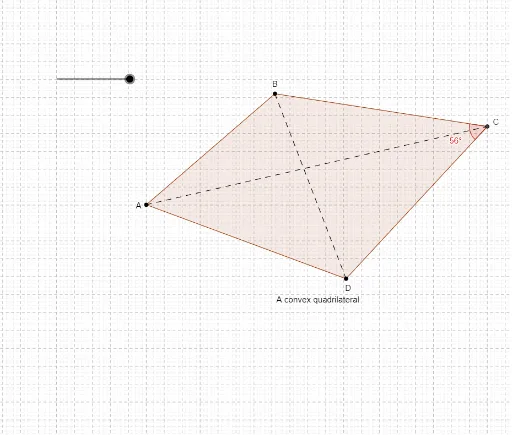
This example demonstrates the difference between convex and non-convex polygons. Key mathematical concepts include the definition and properties of polygons. Using GeoGebra commands such as Segment, Polygon, Intersect, etc., various polygons can be constructed. Suitable for students at the junior high school level and above to learn about polygon-related knowledge.
GeoGebra Commands & Parameters
Segment(A, B_1) → aPolygon(A, B, C, D) → P, a_1, c, g, dSegment(A, C) → bSegment(B, D) → fIntersect(f, b) → EAngle(B, C, D) → αIf(α < 180°, T7, T4) → T5If(α > 180°, T8, T6) → T9
AI Drawing Prompt Reference
Draw a quadrilateral with four labeled vertices. Connect one diagonal between two opposite vertices, then connect the other diagonal between the remaining two vertices, and mark their intersection point. Measure one interior angle of the quadrilateral. Based on whether this angle is less than or greater than 180 degrees, highlight the polygon as convex or non-convex using different colors or styles. Also, draw segments connecting adjacent vertices to form the polygon boundary, ensuring the visual distinction between convex and concave shapes is clear.
The prompt above was compiled from the original drawing commands and is for reference only.