
Interactive Triangle Area Exploration (cf. Parallelogram)
Loading the math board and drawing, please wait…
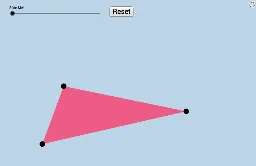
① This applet allows students to drag the vertices of a triangle anywhere on the canvas, dynamically revealing the relationship between the triangle's area and that of a related parallelogram, enabling meaningful discovery of the area formula. ② Core mathematical concepts include the triangle area formula (base × height ÷ 2), comparison with parallelogram area (base × height), and geometric transformations such as rotation and midpoint construction, emphasizing area conservation. ③ Construction highlights: using GeoGebra commands Polygon to create triangle poly1, Midpoint and Rotate to generate a rotated copy poly1', and Segment to connect vertices forming a parallelogram; key objects include A, B, C, D, α, A', B', C', and a button (button1) for animation or reset. ④ Suitable for middle school geometry classes or advanced elementary math, ideal for teacher demonstrations or student-led inquiry, fostering geometric intuition and deductive reasoning about area formulas.
GeoGebra Commands & Parameters
Polygon(A, B, C) → poly1, c, a, bMidpoint(b) → DRotate(A, (-α), D) → A'Rotate(B, (-α), D) → B'Rotate(C, (-α), D) → C'Polygon(A', B', C') → poly1', c', a', b'Segment(A, D) → iSegment(D, C) → jSegment(C, B) → kSegment(B, A) → lSegment(A', B') → gSegment(B', C') → m