
Tangent-Chord Angle Study
Loading the math board and drawing, please wait…
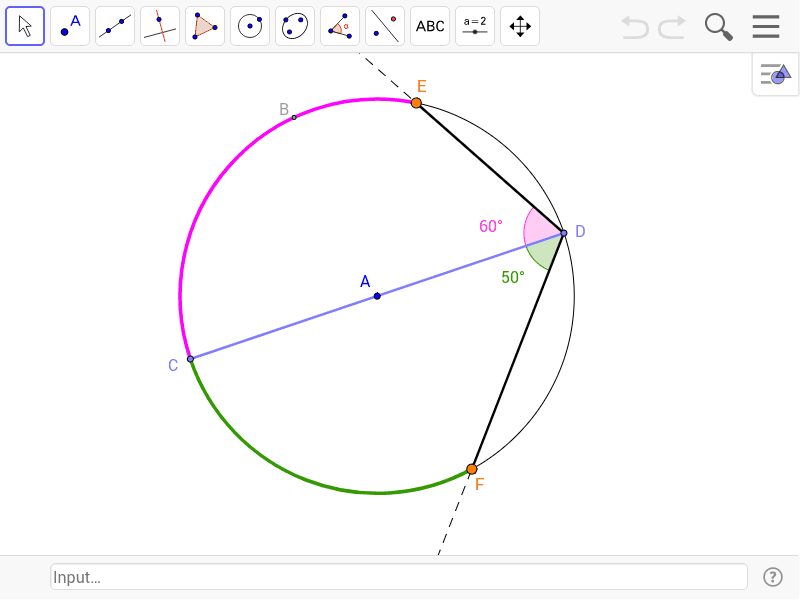
This example demonstrates the geometric relationship between angles at a circumference and tangent-chord angles, proving their equality through dynamic visualization. Key math concepts include the Angle at a Circumference Theorem, tangent properties, and geometric constructions. Construction highlights the use of GeoGebra commands like Circle, Point, CircleArc, Segment, AngularBisector, Intersect, CircumcircleArc, Rotate, Ray, and Angle. Suitable for high school geometry learning, this tool aids in understanding circle angle properties and dynamic geometric demonstrations.
GeoGebra Commands & Parameters
Circle(A, B) → cPoint(c) → CPoint(c) → DCircleArc(A, C, D) → dCircleArc(A, D, C) → ePoint(e) → EPoint(d) → FSegment(C, D) → aSegment(D, E) → bSegment(D, F) → fAngularBisector(C, D, E) → gAngularBisector(C, D, F) → hIntersect(e, g) → G, HIntersect(d, h) → I, JCircumcircleArc(E, H, C) → kCircumcircleArc(C, J, F) → pRotate(A, 270*°, D) → A'Ray(D, A') → iRotate(A, 90*°, D) → A'_1Ray(D, A'_1) → jRay(D, E) → lRay(D, F) → mCircle(D, 2) → qIntersect(q, l) → K,Intersect(q, m) → L,Angle(C, D, K) → αAngle(C, D, L) → βAngle(A', E, C) → γAngle(C, F, A'_1) → δ
AI Drawing Prompt Reference
Draw a circle and select two points on it to form a chord. From one endpoint of the chord, draw a tangent line and mark the angle between the tangent and the chord. Then, select two more points on the circle and draw angles between these points and the chord, proving their equality to the tangent-chord angles. Finally, dynamically demonstrate the circle angle theorem and tangent properties.
The prompt above was compiled from the original drawing commands and is for reference only.