
Tangent and Curvature of a Circle
Loading the math board and drawing, please wait…
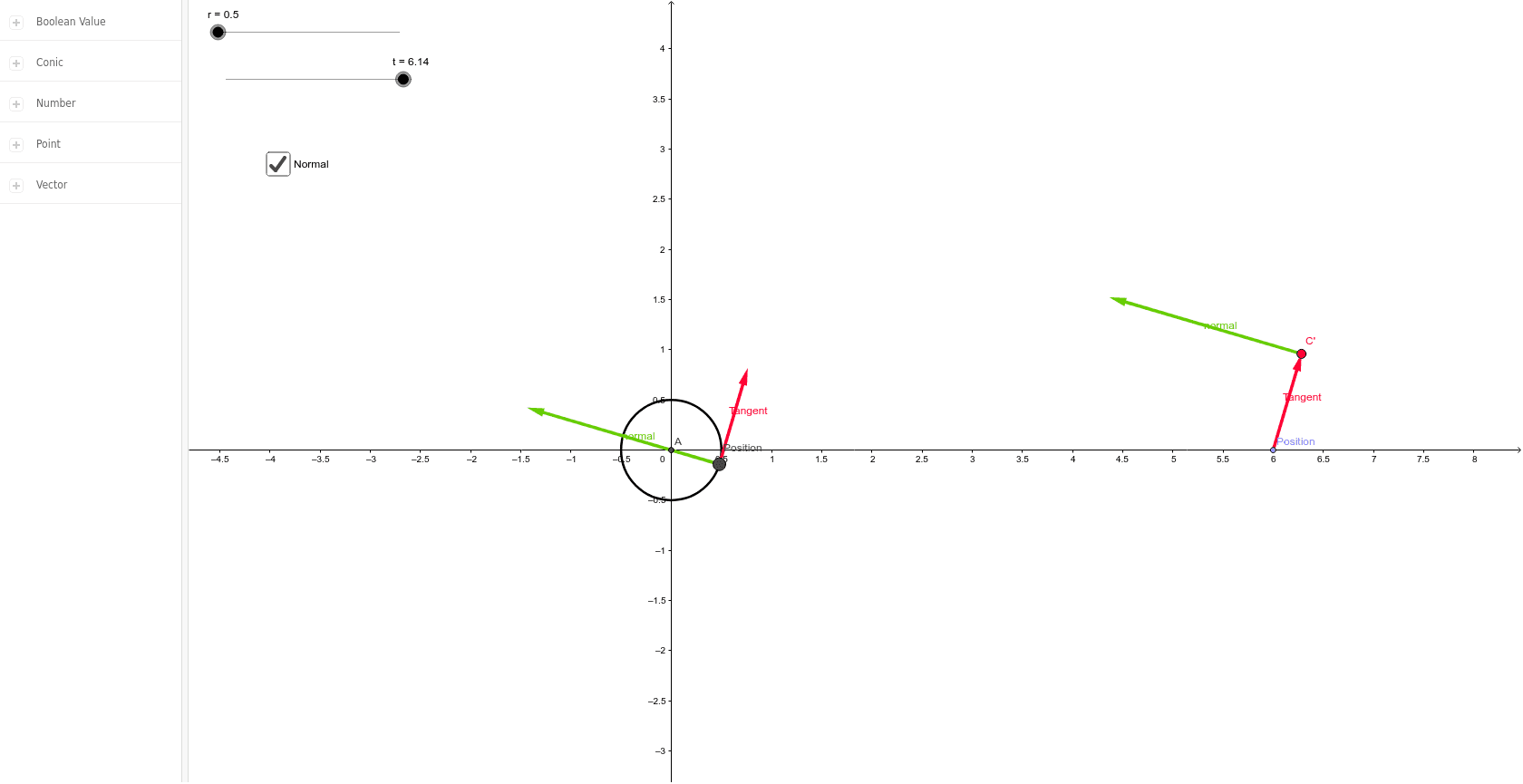
This GeoGebra example illustrates the tangent line and curvature of a circle through an interactive construction. It demonstrates that at any point on a circle, the tangent is perpendicular to the radius, and the curvature is constant, equal to the reciprocal of the radius. The construction uses commands like Intersect, Circle, Translate, and Vector to create the circle, tangent line, normal line, and translated auxiliary points, helping visualize the relationship between the tangent, normal, and curvature. It is ideal for high school or undergraduate students studying coordinate geometry, calculus, or differential geometry, and serves as a clear visual aid for teachers explaining these fundamental concepts.
GeoGebra Commands & Parameters
Intersect(xAxis, yAxis) → ACircle(A, r) → cTranslate(B, u) → B'Vector(B, B') → vPoint(xAxis) → CTranslate(C, v) → C'Vector(C, C') → wTranslate(B, a) → B'_1Vector(B, B'_1) → bTranslate(C', a) → C''Vector(C', C'') → d
AI Drawing Prompt Reference
Draw a circle and illustrate its tangent line and curvature. At any point on the circle, show the tangent line perpendicular to the radius and indicate the curvature, which is the reciprocal of the radius. Use auxiliary points and vectors to visualize the relationship between the tangent, normal, and curvature, suitable for teaching fundamental concepts in geometry, calculus, or differential geometry.
The prompt above was compiled from the original drawing commands and is for reference only.