
Complex Number Multiplication Demo by Xiaojun Liu
Loading the math board and drawing, please wait…
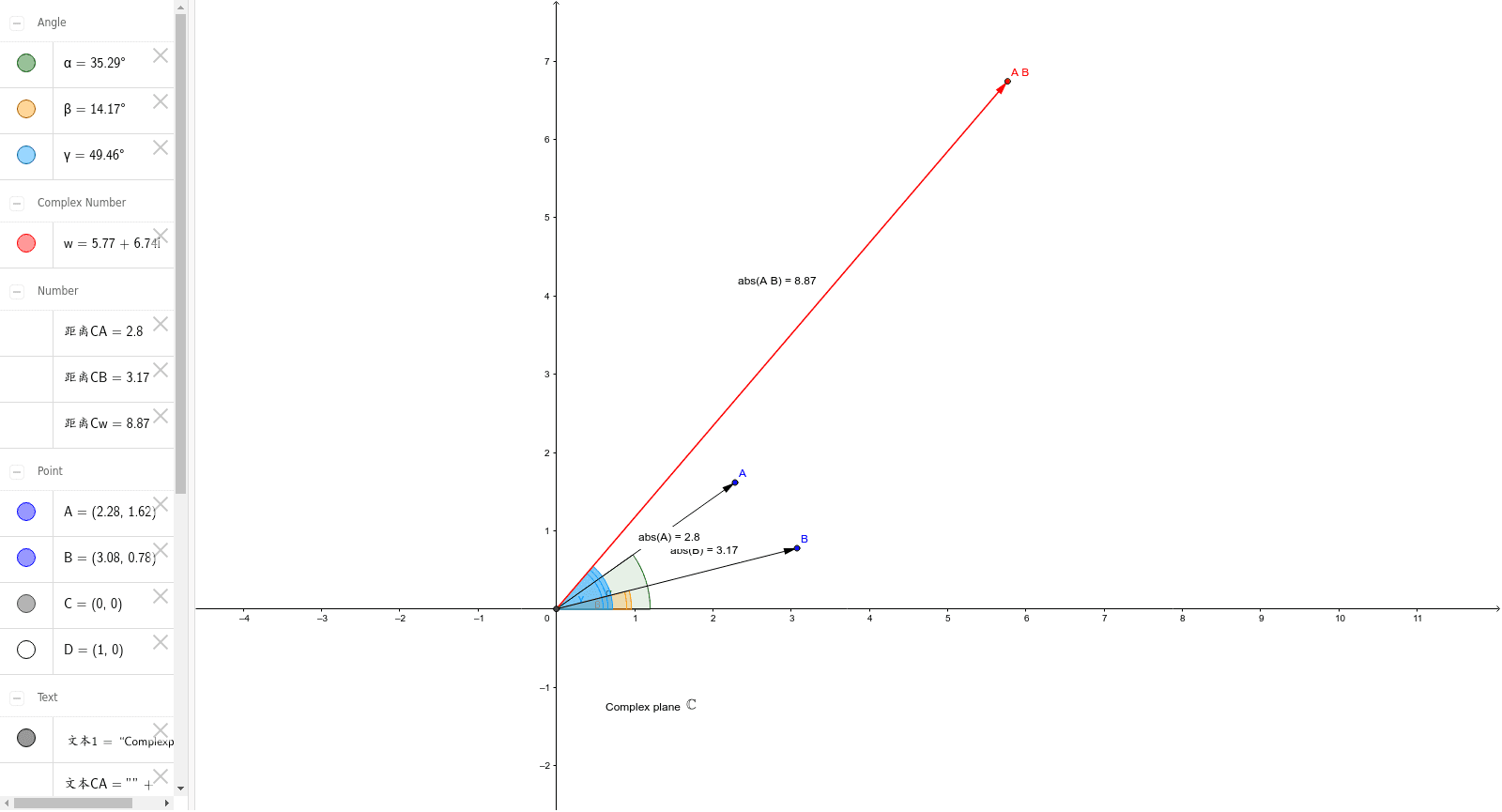
This example demonstrates the geometric interpretation of multiplying two complex numbers A and B. The core math concept involves the rule that the modulus of the product equals the product of the moduli, and the argument of the product equals the sum of the arguments. It is constructed using GeoGebra commands like Intersect, Vector, Distance, and Angle, with objects such as vectors u, v, points C, w, and text elements. Suitable for high school mathematics education to visually understand the geometric representation of complex multiplication.
GeoGebra Commands & Parameters
Intersect(xAxis, yAxis) → CVector(C, A) → uVector(C, B) → vVector(C, w) → aDistance(C, A) → 距离CADistance(C, B) → 距离CBDistance(C, w) → 距离CwVector(C, D) → bAngle(b, u) → αAngle(b, v) → βAngle(b, a) → γ
AI Drawing Prompt Reference
Draw a complex plane with the origin at the center. Place two complex number points on the plane, representing the multiplier and multiplicand, and draw a vector from the origin to each point. Then plot a third point representing the product of the two complex numbers, and draw a vector from the origin to this point. Label the distances from the origin to all three points, and display the angles between the vectors: one angle between the product vector and the first original vector, another between the product vector and the second original vector, and a third between the two original vectors. The diagram should clearly illustrate the geometric interpretation of complex multiplication, where moduli multiply and arguments add.
The prompt above was compiled from the original drawing commands and is for reference only.