
Symmetry via Transformations: Circles/Spheres with Scatter Construction
Loading the math board and drawing, please wait…
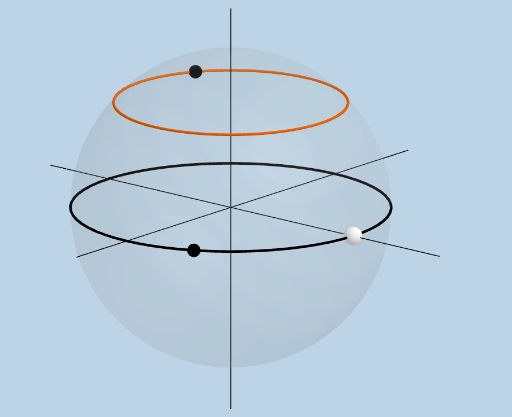
This example demonstrates how to construct symmetry-related structures involving circles and spheres in a geometric setting by using systematic transformations (rotation, dilation, translation) together with intersection and line/path tools. It highlights the emergence of symmetric configurations and how geometric relations can be measured and visualized through scatter-like point sets and angle information. Key mathematical concepts include properties of circles and spheres, symmetry created by geometric transforms, vectors and lines for directional relationships, and angle measurement for quantitative constraints, with continuity ensured by consistent geometric construction. Construction approach: IntersectPath and Plane are used to determine intersection-based positions; Rotate, Dilate, and Translate apply the core transformations in 2D/3D; Segment, Line, and Polygon organize the underlying geometric entities; Angle and Vector extract measurable angle and direction; Point plus Textfield/labeling track key parameters and corresponding points (including paired/derived point sets) that reveal the symmetry mapping. Suitable for upper-secondary students and early undergraduate learners in transformation geometry, GeoGebra-based construction practice, and exploratory math modeling.
GeoGebra Commands & Parameters
IntersectPath(z = 0, a) → cPlane((0, 0, 0), (1, 0, 0), (2, 0, 1)) → dRotate(A, (b * pi / 180), (0, 0, 0), d) → A'IntersectPath(f, a) → gDilate(B, If[0 < h ≤ 1, 1 - h, 0], A') → B'Segment(B, B') → iAngle(A, B, A') → αDilate(A', If[1 < h ≤ 2, 2 - h, 0], C) → A''Segment(A', A'') → jDilate(C, If[2 < h ≤ 3, 3 - h, 0], B) → C'Segment(C, C') → kAngle(A', C, B) → βPolygon(B, C, A') → t1, a', b_1, c_1Line(B, (1, 0, 0)) → lLine(B, (0, 0, 1)) → mLine(B, (0, 1, 0)) → nRotate(C, o, B, z = 0) → C'_1Polygon(B, C'_1, E) → t2, e_1, b_2, c'_1Segment(B, E) → pSegment(E, C'_1) → qSegment(C'_1, B) → rAngle(C'_1, B, E) → γAngle(B, C'_1, E) → δTextfield(b) → InputBox1Dilate(B, If[0 < t ≤ 1, 1 - t, 0], F) → B'_1Vector(B, B'_1) → uTranslate(C, u) → C'_2Translate(C', u) → C''Segment(C'_2, C'') → k'Point(g) → GPoint(c) → H
AI Drawing Prompt Reference
In 3D space, first set a reference configuration built from an intersection of a path and a plane to obtain key intersection points. Use the plane to define the rotation axis and a base direction, then rotate a construction point A around the axis to get its corresponding point A'. Apply a piecewise scaling parameter to dilate between B and A', producing B' and draw the segment between B and B'. Measure the angle at A with points B and A'. Perform further piecewise dilations to obtain A'' from A' and construct the segment A'–A'', then dilate C relative to B to obtain C' and connect C–C'. Create a polygon using B, C, and the rotated point A'. Draw several direction lines through B to indicate the coordinate directions. Compute the vector from B to an additional dilated point and use it to translate the rotated point(s), forming corresponding segments and keeping the measured angles for symmetry visualization.
The prompt above was compiled from the original drawing commands and is for reference only.