
Surface of Revolution Explorer: Build and Study Rotational Solids
Loading the math board and drawing, please wait…
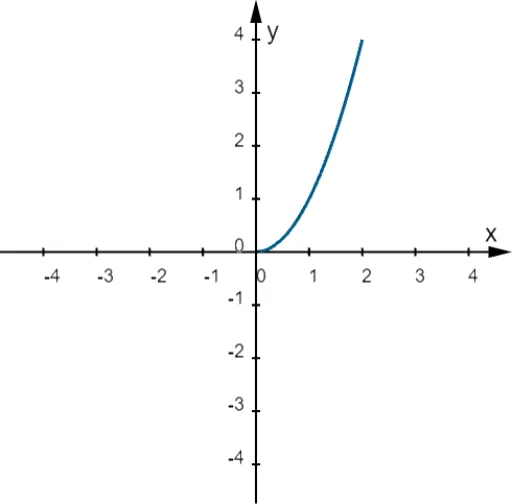
This GeoGebra applet demonstrates how a curve defined by a function can be rotated about a chosen axis to form a surface of revolution, letting learners observe how parameters and endpoint choices change the resulting 3D shape and continuity behavior. Key concepts include function-based curve modeling, geometric rotation/transformations, and how domain endpoints or piecewise conditions affect the generated surface. Construction highlights: parameters and expressions are entered via Textfield and InputBox objects; the 3D geometry is generated using the Surface command from the specified equation; and Rotate is used together with a rotation parameter (α) to revolve the setup around the selected axis. Additional objects such as Start/End and variables (a, b, c, d) help control the interval and geometry, while text fields and buttons support interactive control and display. Suitable for middle school through early university use in solid geometry, function-to-3D modeling, and visualization-based math lessons.
GeoGebra Commands & Parameters
Textfield(f) → InputBox1Textfield(Start) → InputBox2Textfield(End) → InputBox3Textfield(eq1) → InputBox4Surface(If[Start ≤ x ≤ End, f(x)], α, eq1) → aRotate(If[Start ≤ x ≤ End, f(x)], α, eq1) → b
AI Drawing Prompt Reference
Create a 3D surface of revolution generated by rotating a function-defined curve around a chosen axis. The curve is defined over an interval from a start point to an end point, with its equation entered by the user. The scene includes the rotated surface, the original curve, and the curve after rotation. Input fields allow adjusting the function expression, interval endpoints, and the axis equation. A rotation angle parameter controls how much of the surface is revealed, showing the swept solid shape. The visualization emphasizes how the curve's domain and piecewise conditions affect the resulting surface continuity and form.
The prompt above was compiled from the original drawing commands and is for reference only.