
Surface Area of Pyramids and Cones
Loading the math board and drawing, please wait…
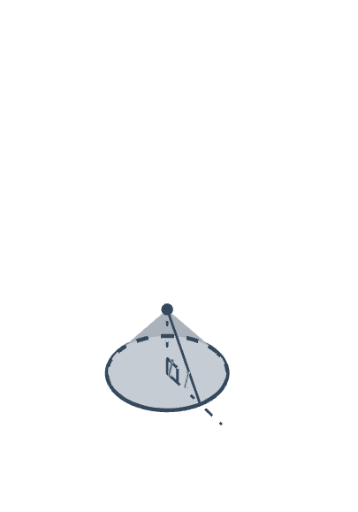
This example demonstrates how to calculate the surface area of pyramids and cones using GeoGebra. Key mathematical concepts include geometric construction, solid geometry, and coordinate geometry. Users can dynamically adjust the dimensions of the pyramid and cone and observe changes in surface area using commands like Point, Circle, Segment, and Surface.
GeoGebra Commands & Parameters
Point(CircleArc[(0, 1), (1, 1), (0, 0)]) → SA_{Q}Point(CircleArc[(0, 1), (1, 1), (0, 0)]) → APoint(CircleArc[(0, 1), (1, 1), (0, 0)]) → QIf(y(SA_{Q}) > 0, CircleArc[(0, 1), (0, 0), SA_{Q}], 6.283185307179586) → SA_{s}Circle(SA_{P}, 1, yAxis) → SA_{p}If(y(A) > 0, Angle[(0, 0), (0, 1), A], 6.283185307179586) → αSequence((sin((i * θ)), 1 - cos((i * θ))), i, 0, (2 * n)) → list1Segment(E, (x(E) + 1, y(E))) → aPoint(a) → FMin((2 * (x(F) - x(E))), 1) → kMax((2 * (x(F) - x(E))) - 1, 0) → k'Sequence(If[k < 1, (x(O) + ((l * sin((i * φ))) * cos((i * φ)) / sin(φ)), y(O) + ((l * sin((i * φ))) * sin((i * φ)) / sin(φ))), (x(O) + (l * i), y(O))], i, 0, (2 * n)) → list2Sequence(Sector[Rotate[Translate[Circle[(x(O) + 0, y(O) + 1), Element[list1, i]], Vector[Element[list1, i], Element[list2, i]]], (((-((2 * i) - 1)) * k) * θ / 2), Element[list2, i]], Rotate[Translate[Element[list1, i], Vector[Element[list1, i], Element[list2, i]]], (((-((2 * i) - 1)) * k) * θ / 2), Element[list2, i]], Rotate[Translate[Element[list1, i + 1], Vector[Element[list1, i], Element[list2, i]]], (((-((2 * i) - 1)) * k) * θ / 2), Element[list2, i]]], i, 1, n) → list3Sequence(Sector[Rotate[Rotate[Translate[Circle[(x(O) + 0, y(O) + 1), Element[list1, i]], Vector[Element[list1, i], Element[list2, i]]], (((-((2 * i) - 1)) * k) * θ / 2), Element[list2, i]], (180° * k'), (x(O) + (n * l) - sin(θ / 2) / 2, y(O) + cos(θ / 2) / 2)], Rotate[Rotate[Translate[Element[list1, i], Vector[Element[list1, i], Element[list2, i]]], (((-((2 * i) - 1)) * k) * θ / 2), Element[list2, i]], (180° * k'), (x(O) + (n * l) - sin(θ / 2) / 2, y(O) + cos(θ / 2) / 2)], Rotate[Rotate[Translate[Element[list1, i + 1], Vector[Element[list1, i], Element[list2, i]]], (((-((2 * i) - 1)) * k) * θ / 2), Element[list2, i]], (180° * k'), (x(O) + (n * l) - sin(θ / 2) / 2, y(O) + cos(θ / 2) / 2)]], i, n + 1, (2 * n)) → list4If(y(A) > 0, CircleArc[(0, 1), (0, 0), A], 6.283185307179586) → sCircleArc((0, 1 / (1 - m)), O, L) → bSegment((0, 0), (s, 0)) → dMidpoint(d) → B'CircleArc((0, 1), A, (0, 0)) → cMidpoint(a) → CPoint(Segment[(0, 1), (s, 1)]) → DSegment(D, (x(D), y(D) - 1)) → eMidpoint(e) → GCircleSector((0, 1), (0, 0), A) → fCircle((0, 1), 1) → gMidpoint(A, D) → HIntersect(xOyPlane, SA_{p}) → SA_{D}, JSegment(SA_{O}, SA_{A}) → SA_{a}Rotate(SA_{D1}, SA_{α}, SA_{a}) → SA_{D'}Circle(SA_{O}, SA_{D1}, SA_{a}) → SA_{c1}CircumcircleArc(SA_{D1}, SA_{D}, SA_{D'}) → SA_{q}Surface((u * cos(SA_{v})), (u * sin(SA_{v})) + 1, SA_{f}(u), u, 0, abs(x(SA_{D})), SA_{v}, -1.5708, ((3 * pi)) / 2 - (2 * SA_{γ})) → SA_{o}Segment(SA_{P}, SA_{D1}) → SA_{a1}Segment(SA_{P}, SA_{D'}) → SA_{i}Angle(SA_{D1}, SA_{O}, SA_{A}) → SA_{β}
AI Drawing Prompt Reference
Create a combined 2D/3D geometric figure illustrating a surface formed by rotating an arc-based profile. Start by constructing a circular arc and a circular sector to define the curved outline, then mark the relevant angle and boundary points that come from the arc and its sector edges. Build auxiliary straight segments using horizontal/vertical reference directions, including midpoint constructions and chord/segment connectors associated with the arc and chosen point on the base. Next, generate a family of rotated and translated sector-like patches by sweeping the profile through a range of angles, using those repeated patches to form the enclosing curved surface. Add a few key lines and an angle indicator at the appropriate location to emphasize the geometry used for relating surface area of pyramid/cone-like solids.
The prompt above was compiled from the original drawing commands and is for reference only.