
Surface Area of a Cone by d.riley
Loading the math board and drawing, please wait…
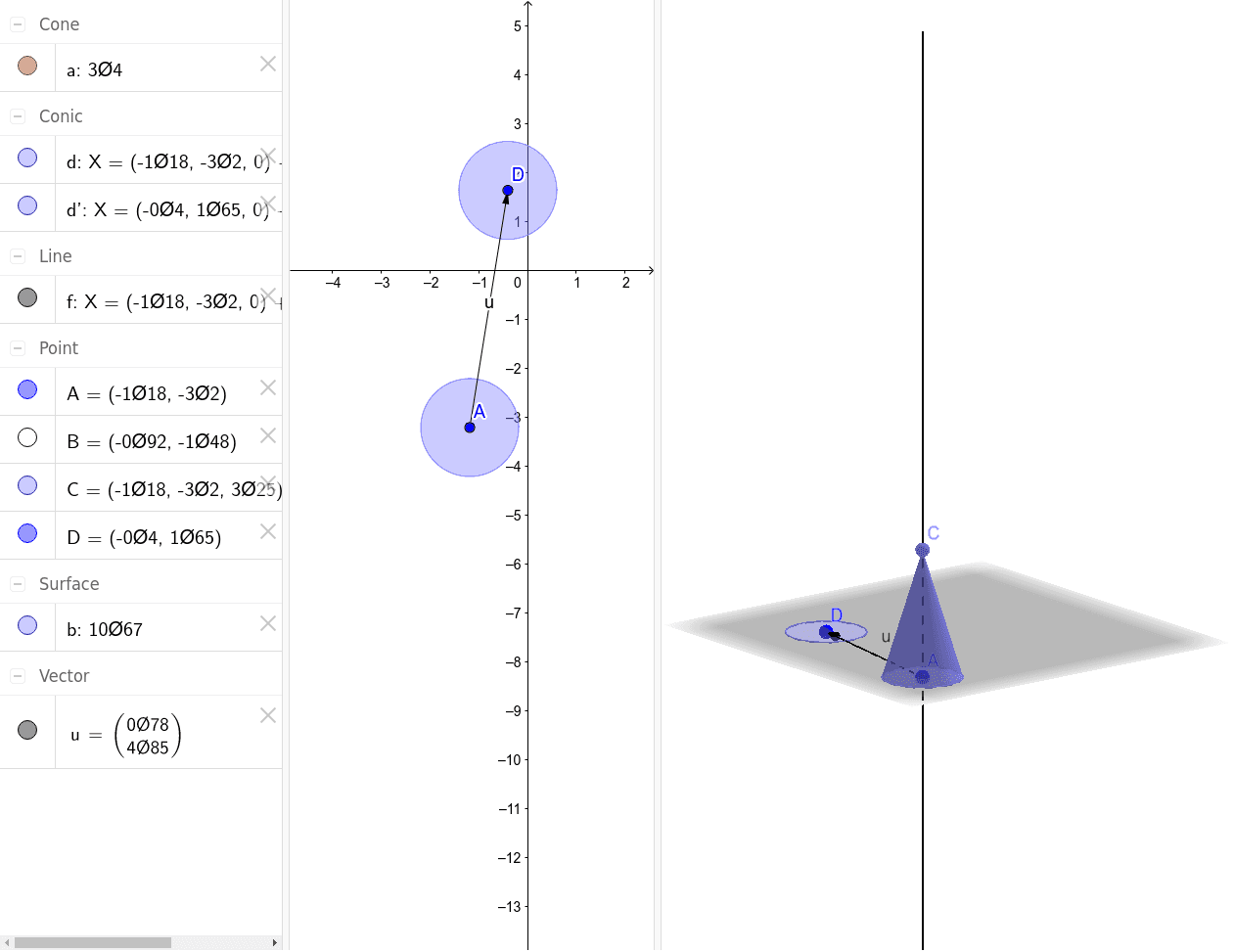
This example demonstrates how to calculate the surface area of a cone. Key mathematical concepts include the geometric properties of a cone and the area calculation formula. Using GeoGebra commands such as OrthogonalLine, Point, Cone, Vector, and Translate, one can construct a cone and calculate its surface area. Suitable for high school mathematics education and learning.
GeoGebra Commands & Parameters
OrthogonalLine(A, xOyPlane) → fPoint(f) → CCone(A, C, 1) → a, d, bVector(A, D) → uTranslate(d, u) → d'
AI Drawing Prompt Reference
Draw a cone with point A as the vertex and point C as the center of the base circle. First, draw a line perpendicular to the xOy plane through point A to get point C. Then, construct a cone with parameters A, C, and 1. Next, draw a vector u from point A to point D, and finally translate the cone along vector u to get a new cone d'.
The prompt above was compiled from the original drawing commands and is for reference only.