
Surface Area of a Cylinder by d.riley
Loading the math board and drawing, please wait…
In collections
Surface Area
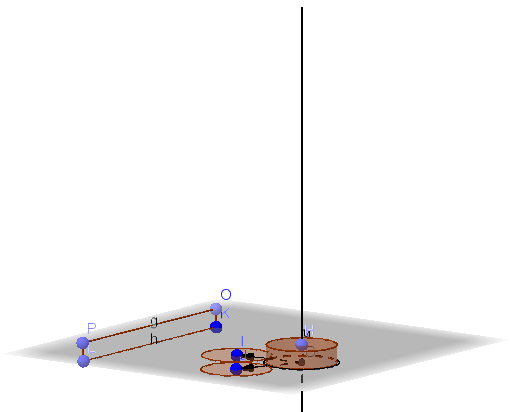
This example demonstrates how to calculate the surface area of a cylinder using geometric construction. Key mathematical concepts include the geometric properties of a cylinder and the surface area formula. It utilizes GeoGebra commands such as Circle, Cylinder, Vector, and Translate. Suitable for middle school and above students learning solid geometry and surface area calculations.
GeoGebra Commands & Parameters
Circle(B, D, E) → cCenter(c) → GOrthogonalLine(G, xOyPlane) → fPoint(f) → HCylinder(G, H, 1) → a, d, e, bVector(G, I) → uTranslate(d, u) → d'Vector(G, J) → vTranslate(d, v) → d'_1Point(Circle[O, 6.28, xOyPlane]) → PSegment(O, P) → gPoint(Circle[K, 6.28]) → LSegment(K, L) → hPolygon(O, K, L, P) → poly1, o, k, l, p
AI Drawing Prompt Reference
Draw a cylinder with a horizontal circular base centered at the bottom, and its height defined by a vertical segment. Pick two points on the lateral surface, create vectors from the base center to these points, and translate the lateral surface along these vectors to show two shifted side panels. Then, take a point on the base circle and draw a radius segment from the center; similarly, take a point on another circle and draw its radius segment. Finally, form a quadrilateral using the two centers and the two radius endpoints, representing the unfolded lateral rectangle. The whole figure includes the cylinder, shifted side panels, radius segments, and the unfolded quadrilateral to illustrate surface area calculation.
The prompt above was compiled from the original drawing commands and is for reference only.