
Subtraction in Different Bases Practice
Loading the math board and drawing, please wait…
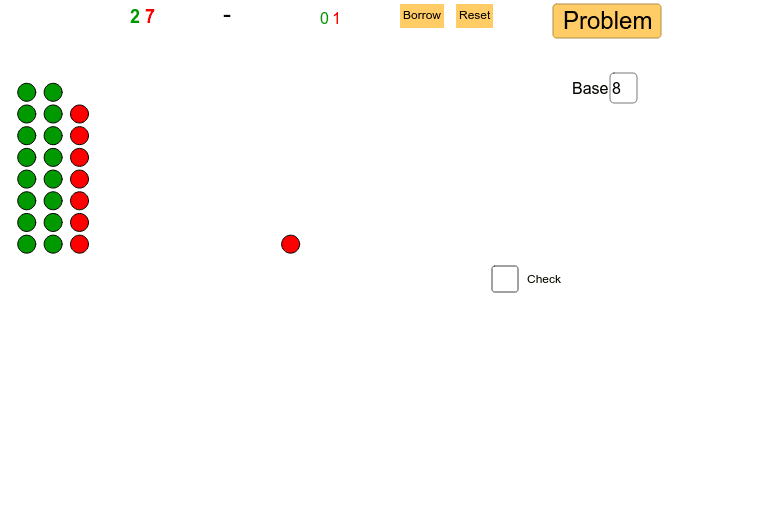
This example demonstrates the graphical process of performing subtraction in various bases (2-10). It involves core math concepts like place value, base conversion, and subtraction rules. Construction highlights include using Random commands for number generation, Textfield and Sequence objects for digit display, inputBoxes for user input, and lists (list_4, list2) for storing results. Suitable for middle school and above students to reinforce place value understanding and base operations, also useful as a teaching demonstration tool.
GeoGebra Commands & Parameters
Random(1, base^(2) - 1) → m_2Random(m_2, base^(2) - 1) → mTextfield(base) → inputBox1Sequence(Sequence[(t + 10, o), o, 1, base], t, 1, tens_2) → list_4Sequence(Sequence[(t, o), o, 1, base], t, 1, tens) → list2Sequence((tens + 1, o), o, 1, ones) → list1Sequence((tens_2 + 11, o), o, 1, ones_2) → list3Sequence(Sequence[Sequence[(((h - 1) * 10) + t, o), o, -11, base - 12], t, 1, base], h, 1, hunds_{sum}) → list_{sum3}Sequence(Sequence[((hunds_{sum} * 10) + t, o), o, -11, base - 12], t, 1, tens_{sum}) → list_{sum2}Sequence(((hunds_{sum} * base) + tens_{sum} + 1 + ((10 - base) * hunds_{sum}), o), o, -11, ones_{sum} - 12) → list_{sum1}Textfield(base) → inputBox2Random(1, base^(2) - 1) → num_1
AI Drawing Prompt Reference
Create a visual representation of subtraction in various bases (2-10), featuring randomly generated two-digit and single-digit numbers, text fields for base input, sequences and lists to display digits and calculation steps for each place value, and input boxes for user-defined bases and numbers, culminating in the display of subtraction results.
The prompt above was compiled from the original drawing commands and is for reference only.